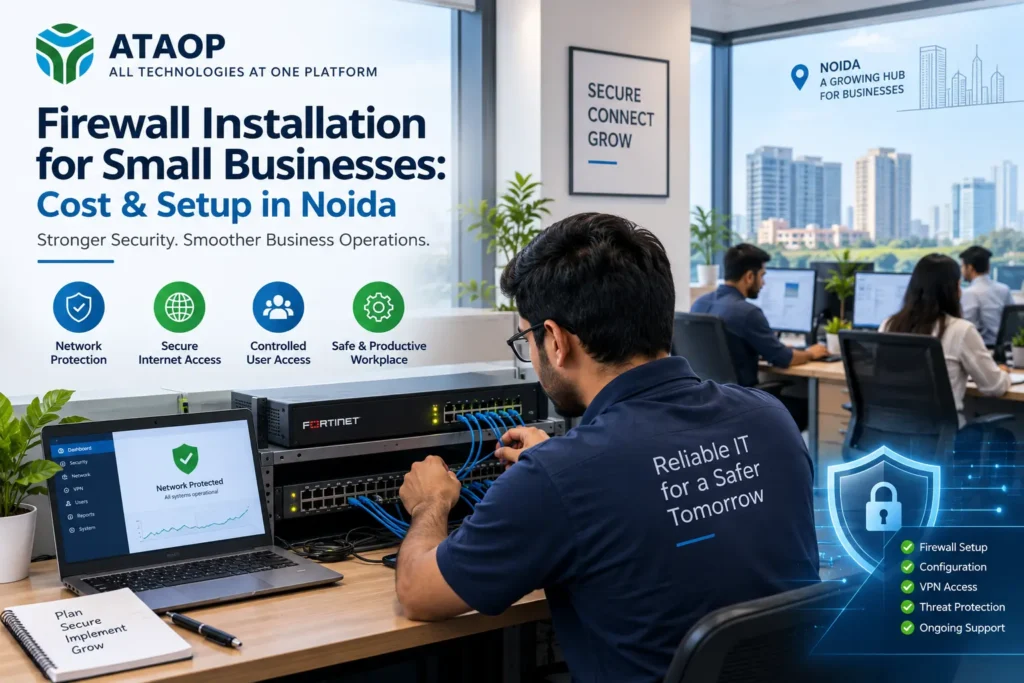
Cybersecurity is no longer a concern only for large enterprises. Small businesses also depend on internet-connected computers, cloud applications, email, servers, Wi-Fi, remote access and digital business data. This connectivity improves productivity, but it also creates potential security risks.
For a growing company, a basic Wi-Fi router may not provide the level of network control and protection required for business operations. This is where a properly configured business firewall becomes important.
If you are considering firewall installation for a small business in Noida, you may have several questions: How much does a firewall cost? What type of firewall does a small office need? Is a hardware firewall necessary? What is involved in installation and configuration?
This guide explains firewall costs, setup requirements, key features and what small businesses should consider before choosing a firewall solution.
What Is a Business Firewall?
A firewall is a security system that monitors and controls network traffic based on defined security rules. It acts as a protective layer between a company’s internal network and external networks such as the internet.
A properly configured firewall can help businesses control which connections are allowed, restrict unwanted traffic and create security policies for users and devices.
Modern business firewall solutions can offer capabilities beyond basic traffic filtering, including:
- Application control
- Web filtering
- Intrusion prevention
- VPN connectivity
- User access policies
- Network monitoring
- Malware and threat protection
- Bandwidth management
- Network segmentation
- Logging and reporting
The available features depend on the firewall appliance, security subscriptions and configuration.
Why Do Small Businesses in Noida Need a Firewall?
Noida and Greater Noida have a large ecosystem of startups, professional firms, IT companies, manufacturers, healthcare organizations, real estate businesses, educational institutions and other SMEs.
Many of these organizations operate with multiple computers and employees connected to the same network.
Consider a 30-employee office using email, cloud software, shared files, online banking, CRM and other business applications. The company’s internet connection is no longer simply providing web access—it has become a critical part of its IT infrastructure.
A small business firewall can help create greater control over this environment.
For example, businesses may want to:
- Restrict access to inappropriate or risky websites
- Control applications being used on the network
- Create secure VPN access for remote employees
- Separate guest Wi-Fi from the business network
- Monitor unusual network activity
- Protect internal systems from unwanted traffic
- Apply different policies to departments or users
The exact requirements will vary from one organization to another.
Hardware Firewall vs Software Firewall
One common question is whether a small business needs a hardware firewall or whether software protection on individual computers is sufficient.
Software Firewall
A software firewall operates on an individual computer or server. Modern operating systems generally include firewall capabilities.
It can help control traffic to and from that particular device.
Hardware or Network Firewall
A hardware firewall is typically positioned at the network gateway, between the business network and its internet connection.
It can apply security policies across multiple computers and devices.
For an office with many employees, servers, Wi-Fi access points and business applications, a centrally managed network firewall generally provides capabilities that individual device firewalls alone cannot provide.
In practice, businesses can use multiple layers of security rather than treating hardware and software firewalls as mutually exclusive.
How Much Does Firewall Installation Cost for a Small Business in Noida?
There is no single fixed firewall installation cost in Noida because businesses have different network environments.
The total cost can include several components:
1. Firewall appliance:
The physical device itself is usually one of the major costs. Pricing varies based on performance, number of users, ports and security capabilities.
2. Security subscriptions or licenses:
Advanced security features may require annual or multi-year subscriptions.
3. Installation and configuration:
A firewall should be configured according to the organization’s network and security requirements rather than simply connected using default settings.
4. VPN configuration:
Businesses requiring secure remote access or connectivity between offices may need additional VPN setup.
5. Ongoing support:
Firewall monitoring, policy updates, troubleshooting and firmware maintenance may be included in a support contract or charged separately.
Therefore, when comparing firewall prices for small businesses, companies should consider the total solution rather than only the initial hardware price.
A cheaper appliance may not necessarily be cheaper over its useful life if required licenses, support or capacity are not considered in advance.
What Determines Business Firewall Cost?
Several factors influence the final quotation.
Number of Users
A 10-user office and a 100-user office have different traffic and performance requirements.
Choosing a firewall only for today’s employee count may also create problems if the organization is expanding quickly.
Internet Speed
The firewall must be capable of handling the company’s internet connection while performing the required security functions.
The relevant security throughput can differ from the headline firewall throughput, particularly when advanced inspection features are enabled.
Number of Locations
A company with several offices may require site-to-site VPN connectivity and centralized security management.
Remote Employees
Businesses that allow employees to access internal resources remotely may require secure remote-access VPN configuration.
Security Features
Requirements such as intrusion prevention, application control, web filtering and advanced threat protection can affect licensing and appliance selection.
Network Complexity
Servers, multiple VLANs, guest networks, IP phones, CCTV, Wi-Fi access points and other infrastructure can make firewall configuration more involved.
These factors are why a network assessment should ideally happen before purchasing a firewall.
Firewall Setup Process for a Small Business
Professional firewall installation involves more than plugging an appliance into the internet connection.
A typical business firewall setup may involve the following stages.
1. Assess the Existing Network
The first step is understanding the company’s existing IT infrastructure.
This may include reviewing:
- Internet connections
- Routers and switches
- Number of users
- Servers
- Wi-Fi networks
- IP addressing
- Remote users
- Business applications
- Existing security controls
This helps determine the appropriate firewall specifications.
2. Select the Right Firewall
The firewall should be selected based on actual and expected business requirements.
Buying an oversized device can create unnecessary expense, while choosing an undersized firewall can lead to performance limitations as the company grows.
3. Configure Firewall Policies
Security policies determine how network traffic is handled.
Policies can be configured based on users, services, applications, destinations and other requirements.
The objective should not simply be to block as much traffic as possible. Rules should balance security with legitimate business access.
4. Configure Network Segmentation
Not every device needs to be on the same network.
For example, employee computers, servers, CCTV systems and guest Wi-Fi may be separated into different network segments.
This can improve network management and limit unnecessary access between systems.
5. Configure VPN Access
A business VPN can provide secure remote connectivity for authorized employees who need access to internal resources.
Businesses with multiple offices may also use site-to-site VPN connections.
6. Test the Configuration
Before considering the installation complete, important business applications, internet connectivity, VPN access and security policies should be tested.
Documentation of the final configuration is also useful for future troubleshooting and maintenance.
Common Firewall Installation Mistakes Small Businesses Should Avoid
Buying a good firewall does not automatically create a secure network.
Some common mistakes include:
Using default settings: A firewall should be configured according to the company’s requirements.
Creating overly broad rules: Allowing unnecessary traffic can weaken network controls.
Ignoring firmware updates: Firewall software and firmware require ongoing maintenance.
Not reviewing logs: Security logs can provide useful information about network activity and problems.
Mixing guest and corporate Wi-Fi: Guest users should generally not have unnecessary access to internal business resources.
Ignoring backup configuration: Firewall configurations should be backed up so they can be restored when required.
Buying only on price: The cheapest firewall may not provide suitable performance or security features.
What Features Should a Small Business Firewall Have?
Requirements differ, but businesses commonly evaluate features such as:
- Firewall traffic filtering
- Intrusion prevention
- Application control
- Web filtering
- VPN support
- User-based access policies
- Security logging
- Network segmentation
- Threat protection
- Centralized management
A company should choose features based on its risk profile and operational needs rather than purchasing every available security function.
Firewall Installation vs Ongoing Firewall Management
Installation is only the beginning.
Businesses change over time. Employees join and leave, applications change, new servers are introduced and remote access requirements evolve.
Firewall rules therefore need periodic review.
Ongoing firewall management services can include:
- Policy changes
- Firmware updates
- VPN management
- Troubleshooting
- Configuration backups
- Security subscription management
- Log review
- Network changes
For organizations without dedicated network security staff, ongoing support can make firewall administration easier to manage.
Choosing a Firewall Installation Company in Noida
When comparing firewall installation services in Noida, avoid selecting a provider solely on the hardware quotation.
Ask potential providers:
Will you assess our network before recommending a firewall?
Which firewall capacity is appropriate for our users and internet speed?
Are installation and configuration included?
Can you configure VPN and network segmentation?
What licenses or subscriptions are required?
Will you document and back up the configuration?
What happens if we experience a network problem after installation?
A provider that understands networking, servers and wider IT infrastructure can also consider how the firewall interacts with the rest of the business environment.
Firewall & Network Security Support from ATAOP (OPC) Private Limited
Businesses looking for firewall installation in Noida can consider ATAOP (OPC) Private Limited for firewall and network security requirements.
Based in Greater Noida West, ATAOP works with businesses on broader IT infrastructure requirements, including firewall setup and configuration, networking, servers, Wi-Fi, IT AMC, cloud infrastructure and cybersecurity solutions.
Rather than approaching a firewall as an isolated device, the objective is to understand the organization’s network, users and business requirements before recommending an appropriate setup.
ATAOP can also support businesses across India, with remote and onsite assistance depending on project requirements and location.
Frequently Asked Questions
How much does firewall installation cost in Noida?
The cost depends on the firewall model, number of users, internet bandwidth, security licenses, VPN requirements and complexity of the network. A network assessment is the best way to obtain an appropriate quotation.
Does a small business really need a hardware firewall?
The answer depends on its network and risk profile. Businesses with multiple users, servers, remote access or important business data may benefit from centrally managed network security capabilities.
Is a firewall the same as antivirus?
No. They perform different security functions. A firewall primarily controls network traffic, while endpoint security or antivirus operates on individual devices to help detect and prevent malicious software and other threats.
Can a firewall control employee internet access?
Depending on the firewall and licenses, businesses can use features such as web filtering, application control and user-based policies to manage network access.
Can a firewall provide secure work-from-home access?
Yes. Many business firewalls support VPN technologies that can provide authorized employees with secure remote access to internal business resources.
How often should firewall settings be reviewed?
Firewall policies should be reviewed periodically and whenever significant changes occur, such as new servers, applications, internet connections, office locations or remote-access requirements.