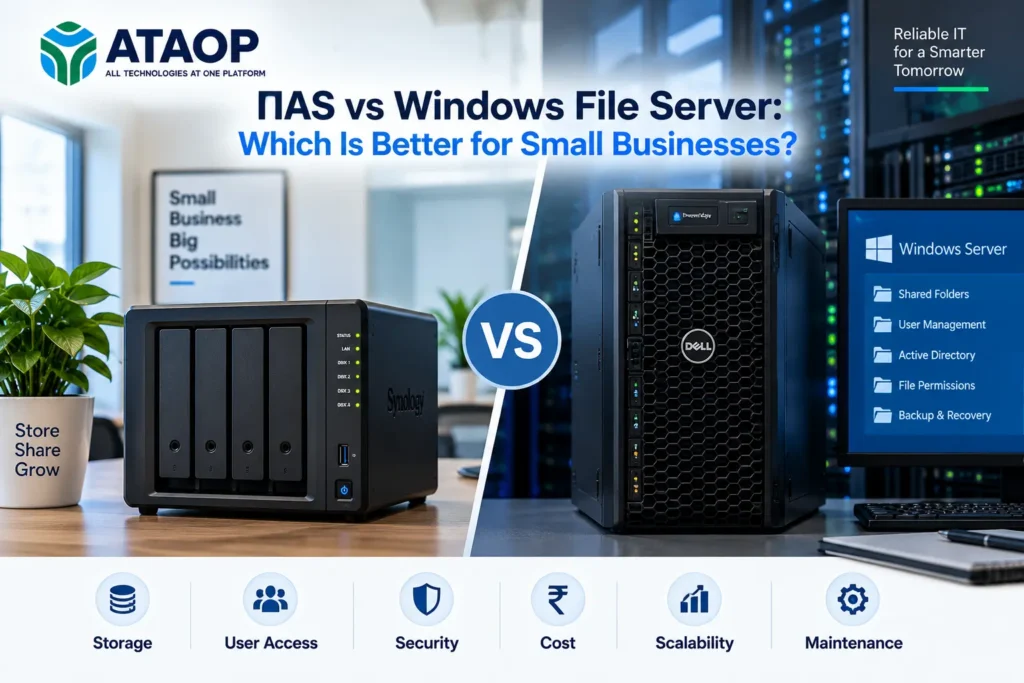
Every growing business needs a reliable way to store, manage, share and protect important files. From accounting records and employee documents to project files and customer information, centralized data storage plays a crucial role in daily operations.
However, when setting up office IT infrastructure, business owners often face an important question: NAS vs Windows File Server—which is better for small businesses?
Both Network Attached Storage (NAS) and Windows File Servers provide centralized file storage, network sharing and access management. However, they differ in cost, scalability, administration, security capabilities and suitability for business applications.
For a small office with 10–20 employees, a NAS device may provide a practical file-sharing solution. Meanwhile, organizations with 50–100 employees, complex permissions or Microsoft-based infrastructure may benefit from a Windows File Server.
This guide compares NAS vs Windows File Server based on performance, security, cost, backup, maintenance and business requirements to help you choose the right storage solution.
What Is NAS (Network Attached Storage)?
NAS, or Network Attached Storage, is a dedicated storage device connected to a local area network (LAN). It allows multiple authorized users to access and share files from a centralized location.
Unlike traditional external hard drives, NAS devices operate independently and can provide file-sharing services to multiple computers simultaneously.
Popular NAS manufacturers include Synology, QNAP and other business storage providers.
How Does NAS Work?
A NAS device typically contains one or more hard drives or SSDs, a processor, memory and an operating system designed for storage management.
Employees connect to shared folders using supported network protocols, commonly SMB.
Depending on the model, NAS solutions may also provide:
- Centralized file storage and sharing
- User accounts and folder permissions
- RAID-based storage redundancy
- Automated backup scheduling
- File versioning and snapshots
- Remote access capabilities
- Storage monitoring and alerts
- Integration with directory services
When Is NAS Suitable?
NAS can be useful for small offices, design agencies, accounting firms and businesses primarily requiring shared file storage.
It may also serve as a backup destination or secondary storage system within a larger IT infrastructure.
What Is a Windows File Server?
A Windows File Server is a physical or virtual server running Windows Server and configured to provide centralized file storage and network access.
It allows organizations to manage shared folders, user permissions, storage policies and file access within a Windows-based environment.
Windows File Servers are commonly integrated with Active Directory Domain Services (AD DS), making them useful for organizations requiring centralized identity and access management.
Key Features of Windows File Server
Depending on the edition and configuration, Windows Server can provide:
- SMB file sharing
- NTFS permissions and access control
- Active Directory integration
- Group Policy-based configuration
- File Server Resource Manager (FSRM)
- Storage quotas and file screening
- Distributed File System (DFS)
- Storage monitoring
- Windows-based backup integration
A Windows File Server can also be deployed as a virtual machine using a suitable virtualization platform.
NAS vs Windows File Server: Key Differences
Understanding the differences between NAS and Windows File Server solutions is essential before investing in business storage infrastructure.
| Feature | NAS | Windows File Server |
| Primary purpose | Dedicated network storage | Windows-based file services |
| Initial setup | Often simpler | Requires server configuration |
| Hardware | NAS appliance | Physical or virtual server |
| Operating system | Vendor-specific NAS OS | Windows Server |
| File sharing | SMB, NFS and other supported protocols | SMB and supported Windows services |
| Active Directory | Available on many business models | Native Windows integration |
| Access management | NAS users, groups and permissions | NTFS, share permissions and AD |
| Scalability | Depends on model and expansion options | Depends on server and storage architecture |
| Backup capabilities | Model-dependent backup tools | Windows and third-party backup tools |
| Licensing | Varies by vendor and features | Windows Server and applicable CALs |
| Maintenance | NAS firmware and storage management | OS, security and server administration |
| Best suited for | Straightforward storage requirements | Complex Windows-based environments |
Neither option is universally better. The correct choice depends on the organization’s applications, users, security policies and future growth.
1. NAS vs Windows File Server: Cost Comparison
Cost is one of the most important factors when choosing a file storage solution for small businesses.
NAS Setup Cost
A NAS deployment typically requires the appliance, compatible storage drives, network connectivity and any applicable software licenses.
For planning purposes, a small business NAS setup may cost approximately ₹30,000–₹1,00,000 or more, depending on storage capacity, drive redundancy and performance requirements.
Higher-capacity business NAS systems can cost considerably more.
Windows File Server Cost
A Windows File Server may require:
- Server hardware or virtualization resources
- Windows Server licensing
- Applicable Client Access Licenses
- Storage drives
- Installation and configuration
- Backup infrastructure
- Ongoing maintenance
An entry-level physical Windows File Server deployment may require a budget of ₹1,00,000–₹3,00,000 or more, depending on hardware, licensing and implementation scope.
These figures are illustrative budgeting estimates, not verified current supplier quotations. Actual costs vary by specifications, licensing arrangements, warranties and taxes.
Which Is More Cost-Effective?
NAS may offer lower initial deployment costs for straightforward file-sharing requirements.
However, if an organization already operates Windows Server infrastructure, adding file services to an appropriately sized existing environment may be more economical than purchasing another dedicated device.
Businesses should compare total ownership costs over three to five years rather than focusing only on initial hardware prices.
2. Performance: Which Storage Solution Is Faster?
File server performance depends on hardware, storage configuration, network bandwidth and workload characteristics.
A NAS device with enterprise SSDs and 10GbE connectivity may outperform an entry-level Windows File Server.
Similarly, a properly configured Windows Server with high-performance storage may handle demanding workloads more effectively than a basic NAS appliance.
Important Performance Factors
Network speed: A 1Gbps connection can become a bottleneck when many employees transfer large files simultaneously.
Storage type: SSDs generally provide faster access than traditional HDDs, particularly for workloads involving frequent random reads and writes.
Processor and RAM: More demanding workloads may require greater computing and memory resources.
Concurrent users: The number of employees accessing files simultaneously affects performance requirements.
Application workload: CAD files, video editing, databases and general office documents have different storage needs.
For businesses working with large design files or high-volume data transfers, storage performance should be tested against actual workloads before purchasing equipment.
3. Security: Is NAS More Secure Than Windows File Server?
Both NAS and Windows File Servers can provide strong security when configured and maintained correctly.
Security depends more on configuration, access policies, updates and monitoring than on the storage platform alone.
NAS Security Features
Business NAS systems may support encrypted storage, access permissions, multifactor authentication, snapshots and activity logging.
However, these features vary by manufacturer and model.
Windows File Server Security
Windows Server offers detailed file permissions, Active Directory integration, security policies and auditing capabilities.
Organizations can manage access using security groups and apply permissions according to employee roles.
Essential Security Practices
Regardless of the selected platform, businesses should:
- Restrict access to authorized users.
- Apply security updates and firmware patches.
- Disable unnecessary services.
- Use strong authentication.
- Monitor suspicious file activity.
- Protect administrator accounts.
- Maintain separate, recoverable backups.
Avoid exposing SMB file-sharing services directly to the public internet. Use an appropriately secured VPN or another approved remote-access solution.
4. Backup and Disaster Recovery
A centralized file storage system is not automatically a complete backup solution.
Both NAS and Windows File Servers can experience hardware failures, accidental deletion, ransomware attacks and configuration problems.
Can NAS Be Used for Backup?
Yes. NAS devices are frequently used as backup destinations for computers, servers and business applications.
Some NAS platforms also provide snapshots and replication features.
However, RAID and snapshots should not be treated as complete substitutes for independent backups.
Windows File Server Backup
Windows File Servers can use supported Windows backup tools or third-party backup applications.
Organizations may configure local backups, offsite replication or cloud backup depending on recovery requirements.
Follow the 3-2-1 Backup Strategy
A practical approach is to maintain three copies of important data, use two different storage media or systems, and keep one copy offsite.
For additional protection, consider offline or immutable backup copies.
Businesses should regularly test restoration procedures to verify that critical data can be recovered.
5. Scalability: Which Is Better for Growing Businesses?
Scalability becomes important as employee numbers, storage capacity and application requirements increase.
NAS Scalability
Many business NAS systems support additional drives, expansion enclosures or higher-capacity storage.
However, expansion limits depend on the appliance model.
Windows File Server Scalability
Windows File Servers can support larger storage configurations, virtualization and integration with enterprise infrastructure.
Features such as DFS may help organizations manage distributed file shares, although implementation complexity increases.
For growing businesses with multiple departments and detailed access policies, a Windows-based environment may provide greater administrative flexibility.
6. NAS vs Windows File Server for 10, 25, 50 and 100 Employees
Employee count provides a useful starting point, but it should not be the only factor in storage planning.
| Business Size | Suggested Starting Point |
| 5–10 employees | NAS for basic file sharing |
| 10–25 employees | Business NAS or Windows File Server |
| 25–50 employees | Evaluate workload and AD requirements |
| 50–100 employees | Windows File Server or higher-end NAS |
| 100+ employees | Professionally designed storage infrastructure |
These are general planning guidelines, not fixed technical limits.
A 10-person video production company may require more storage performance than a 100-person office working primarily with spreadsheets and documents.
7. NAS vs Windows File Server for Different Businesses
Accounting and CA Firms
A NAS may be suitable for document storage and shared folders.
However, accounting applications should run only on storage platforms supported by their software vendors.
Manufacturing Companies
Organizations using ERP software, domain authentication and specialized applications may benefit from Windows Server infrastructure.
Architecture and Design Offices
NAS systems with high-speed networking may work well for large project files, depending on software compatibility and simultaneous access requirements.
Schools and Educational Institutions
The choice depends on user authentication, departmental permissions, document storage and existing network infrastructure.
Small Corporate Offices
A NAS can provide straightforward shared storage, while Windows File Server may be preferable when the office already uses Active Directory and centralized Windows administration.
8. Can NAS and Windows File Server Work Together?
Yes. Businesses do not always need to choose one over the other.
A hybrid setup can use Windows Server for Active Directory-integrated file services and a NAS device for backup storage or other suitable workloads.
For example, an organization may maintain its primary shared folders on Windows Server while using NAS for scheduled backups and additional recovery copies.
However, backup storage should be protected against unauthorized access and ransomware. A NAS permanently accessible with broad write permissions may not provide sufficient isolation.
9. How to Choose the Right File Storage Solution
Before purchasing a NAS or Windows File Server, answer these questions:
- How many employees need simultaneous access?
- What type of files and applications will be stored?
- How much usable storage is required?
- Does the business use Active Directory?
- Are detailed file permissions necessary?
- What are the backup and recovery requirements?
- How quickly will storage needs grow?
- What is the available hardware and maintenance budget?
A proper IT infrastructure assessment can help identify performance bottlenecks, security requirements and expansion needs before deployment.
NAS and Windows File Server Setup Services in Noida – ATAOP
Businesses planning centralized storage can consider ATAOP (OPC) Private Limited, an IT services company serving Noida, Greater Noida and Delhi NCR.
ATAOP provides server installation, Windows Server configuration, office networking, storage infrastructure, data backup and managed IT support.
Whether your business requires a NAS storage setup, Windows File Server deployment or a combination of both, ATAOP can assist with infrastructure assessment, installation planning, access configuration and ongoing maintenance.
A properly designed storage environment can help organizations improve file accessibility, manage permissions and support business continuity.
Visit https://ataop.com/ to discuss your business IT infrastructure requirements.
Frequently Asked Questions
Is NAS better than Windows Server for small businesses?
NAS is often suitable for straightforward file storage and sharing, while Windows File Server may be preferable for businesses requiring detailed permissions, Active Directory integration and more complex Windows-based administration.
Can 50 employees use one NAS device?
Yes, depending on the NAS hardware, network capacity, file sizes and workload. Employee count alone does not determine whether a NAS is sufficient.
Does a Windows File Server require CAL licenses?
Windows Server generally requires appropriate server licensing and Client Access Licenses for users or devices accessing covered server services, subject to Microsoft’s licensing terms and applicable exceptions.
Can NAS replace a Windows File Server?
For basic file sharing, NAS may replace a dedicated Windows File Server. However, it may not replace all Windows Server roles, application requirements or advanced management capabilities.
Is NAS safe from ransomware?
NAS devices can be affected by ransomware, especially when shared folders are writable from compromised computers. Strong access controls, updates and protected backups are important.
Which is cheaper: NAS or Windows File Server?
NAS often has lower initial costs for simple storage requirements. Windows File Server may offer better value when an organization already maintains suitable Windows infrastructure.
Where can I get NAS or Windows File Server installation in Noida?
ATAOP (OPC) Private Limited provides IT infrastructure and server-related services for businesses in Noida, Greater Noida and Delhi NCR.
Conclusion: NAS vs Windows File Server – Which Should You Choose?
The choice between NAS vs Windows File Server depends on your business size, file-sharing requirements, security policies, existing infrastructure and future growth.
For small businesses requiring affordable centralized storage, a NAS device may be sufficient.
For organizations relying heavily on Active Directory, complex permissions and Windows-based administration, a Windows File Server may provide a more suitable solution.
Businesses with broader requirements can also consider combining both technologies.
Before investing, evaluate total ownership costs, network performance, data protection and recovery requirements.
For businesses in Noida and Delhi NCR, ATAOP (OPC) Private Limited can assist with storage infrastructure planning, NAS deployment, Windows File Server setup and ongoing IT support.