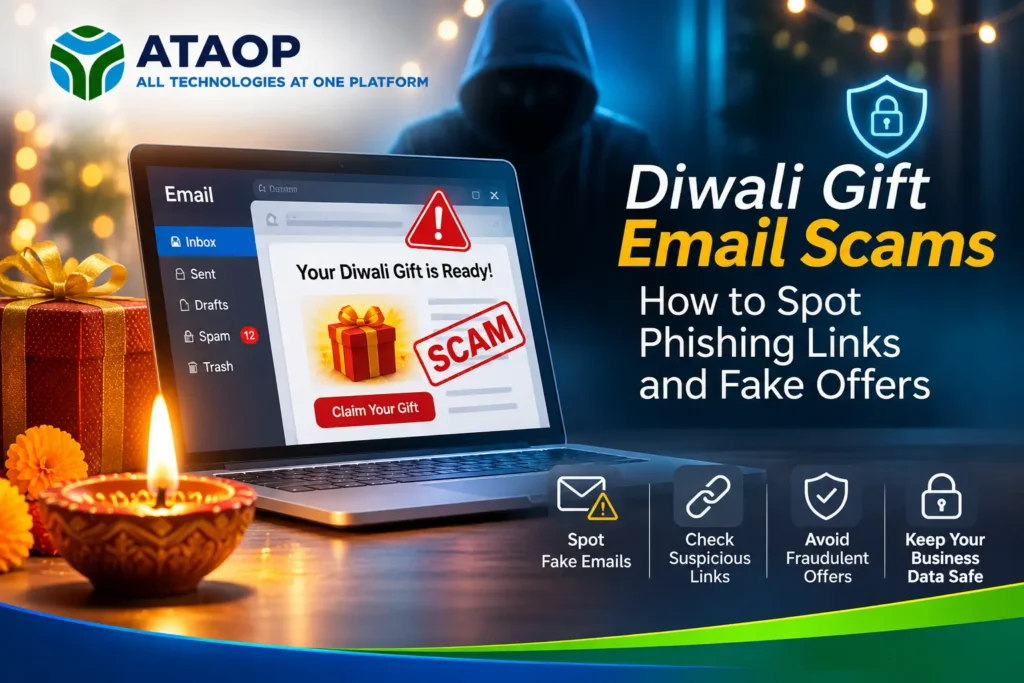
Diwali is a time for celebrations, shopping, gifts and festive offers. From corporate gift hampers to special discounts and employee rewards, businesses receive numerous promotional emails during the festive season.
However, cybercriminals can exploit this excitement by sending fake Diwali gift emails, fraudulent discount offers and phishing messages designed to steal passwords, financial information or business account credentials.
Imagine receiving an email that says, “Congratulations! Your company has received an exclusive Diwali gift. Click here to claim it.”
The message looks professional, displays a familiar brand logo and promises an attractive reward. But clicking the link could take you to a fraudulent website designed to capture your login details.
These are examples of Diwali gift email scams, a form of phishing that uses festival-related messages to trick recipients.
In this guide, we’ll explain how to identify Diwali phishing scams, recognize suspicious links, avoid fake gift offers and protect your business from festive-season cyber threats.
What Are Diwali Gift Email Scams?
Diwali gift email scams are fraudulent messages that use festive greetings, rewards, shopping discounts or corporate gift offers to deceive recipients.
Attackers may impersonate popular brands, delivery companies, business partners or internal HR departments to make their messages appear trustworthy.
Their objective may be to steal credentials, collect financial information, distribute malware or redirect users to fraudulent websites.
Common Examples of Diwali Email Scams
- Fake corporate Diwali gift notifications
- Fraudulent shopping discount emails
- Fake employee reward announcements
- Suspicious gift voucher links
- Delivery confirmation scams
- Fraudulent cashback and refund offers
- Malicious festival greeting attachments
These scams may target individuals and employees using personal or business email accounts.
Why Are Phishing Emails a Concern During Diwali?
Festive shopping and corporate gifting create opportunities for attackers to disguise malicious messages as legitimate communication.
Employees may receive more promotional emails than usual, making suspicious messages harder to distinguish from genuine offers.
Common Tactics Used by Scammers
Urgency: Messages claim that an offer expires within minutes.
Authority: Emails appear to come from HR, management or a trusted vendor.
Attractive Rewards: Fake gift vouchers or expensive prizes encourage immediate action.
Brand Impersonation: Fraudulent emails imitate familiar companies using logos and similar-looking domains.
Fear of Missing Out: Messages pressure recipients to act before verifying the sender.
These techniques are examples of social engineering, where attackers manipulate human behavior rather than relying only on technical vulnerabilities.
1. Check the Sender’s Email Address
One of the simplest ways to identify a suspicious Diwali gift email is to inspect the sender’s actual email address.
A message may display a familiar company name while originating from an unrelated domain.
Example
A fraudulent message might claim to be from a well-known shopping company but use an address such as:
rewards@diwali-gifts-example.invalid
The display name alone does not establish that the sender is legitimate.
How to Stay Safe
Check the full sender address, examine the domain carefully and compare it with the organization’s official communication channels.
Remember that even familiar email addresses can sometimes be spoofed or compromised.
If the message claims to come from your employer, verify the announcement through your organization’s approved internal communication channel.
2. Avoid Suspicious Diwali Gift Links
Phishing links often redirect recipients to fake websites that resemble legitimate shopping portals, corporate login pages or Microsoft 365 sign-in screens.
These websites may ask users to enter passwords, payment details or other sensitive information.
Warning Signs of a Phishing Link
- Unusual or misspelled domain names
- Unexpected shortened URLs
- Requests to sign in to claim a gift
- Pages requesting unnecessary personal information
- Links unrelated to the claimed company
- Unexpected payment or verification requirements
How to Check a Link Safely
On a computer, hovering over a link may reveal its destination.
On mobile devices, a long press may display the destination, depending on the application.
However, simply viewing a URL does not guarantee that a website is safe.
When uncertain, open the company’s official website independently rather than following the email link.
3. Beware of Fake Corporate Diwali Gift Emails
Corporate gifting is common during Diwali, making employee reward messages a plausible phishing disguise.
An attacker may impersonate HR or senior management and announce a festival bonus, gift card or shopping voucher.
Example of a Fake HR Email
Subject: Your Diwali Gift Voucher Is Ready!
Message:
“Dear Employee, your Diwali gift has been approved. Please verify your company email account to receive your voucher.”
The link may lead to a fake Microsoft 365 login page.
If an employee enters their credentials, attackers may attempt to access the employee’s business account.
How Businesses Can Prevent This
Organizations should communicate official gifting procedures clearly.
Employees should know which channels HR uses for announcements and whether gift claims ever require account verification.
Unusual requests should be confirmed directly with HR before taking action.
4. Identify Fake Diwali Shopping Offers
Fraudulent festive offers may promise unusually large discounts, free products or exclusive shopping rewards.
Scammers may use copied brand imagery, misleading advertisements or fake websites to create a sense of legitimacy.
Common Warning Signs
- Offers that seem too good to be true
- Requests for immediate payment
- Unusual payment methods
- Poorly written website policies
- Missing or inconsistent business details
- Unexpected requests for OTPs or passwords
A professional-looking website is not proof of authenticity.
Before making a purchase, verify the retailer through its official website or trusted application.
Never share banking OTPs, UPI PINs or account passwords to receive a supposed gift.
5. Be Careful with Diwali Greeting Attachments
Not every phishing email contains a website link.
Some messages include attachments disguised as festive greeting cards, invoices, delivery notices or gift confirmations.
Potentially dangerous attachments may contain malicious scripts or exploit software vulnerabilities.
Common Suspicious Attachments
- Unexpected executable files
- Script files
- Compressed archives containing unknown programs
- Documents asking users to enable macros
- Unrequested invoice or gift confirmation files
Recommended Precautions
Avoid opening unexpected attachments, even when the message appears to come from a familiar sender.
Keep operating systems and applications updated.
Use appropriate endpoint protection and email security tools.
If a business partner sends an unusual attachment, confirm it through a trusted communication channel.
6. Watch for Fake Microsoft 365 Login Pages
Microsoft 365 accounts are valuable targets because they may provide access to business email, documents and collaboration platforms.
A Diwali phishing message may claim that employees must sign in to receive a corporate reward.
The fraudulent website may imitate a Microsoft login page.
How to Reduce the Risk
Employees should access Microsoft 365 through known official URLs or approved company applications.
Organizations should enable appropriate multifactor authentication and consider phishing-resistant methods such as passkeys or security keys.
IT administrators should also monitor suspicious sign-ins and unusual account activity.
Multifactor authentication provides additional protection, but it does not eliminate every phishing risk.
7. Protect Your Business from Diwali Phishing Attacks
Businesses should prepare employees for phishing attempts before major holidays.
A practical cybersecurity awareness program can help staff recognize suspicious messages and report them promptly.
Essential Business Security Measures
Email Security: Configure appropriate anti-phishing, anti-malware and spam protection policies.
SPF, DKIM and DMARC: Implement email authentication to help reduce certain forms of domain spoofing.
Multifactor Authentication: Strengthen account access protection.
Endpoint Security: Keep business devices protected and updated.
Employee Training: Explain common phishing techniques and reporting procedures.
Access Control: Restrict unnecessary access to confidential business information.
Security Monitoring: Review relevant alerts and suspicious login activity.
These measures work best when combined rather than implemented individually.
8. What Should You Do If You Click a Phishing Link?
Accidentally opening a suspicious link does not automatically mean your account has been compromised.
However, the next steps depend on what happened.
If You Only Opened the Website
Close the suspicious page and avoid entering information.
If a file was downloaded or unusual browser activity occurred, follow your organization’s security procedures.
If You Entered Your Password
Immediately report the incident to your IT or security team.
Change the affected password through the legitimate service.
For business accounts, administrators may need to revoke active sessions, review sign-in logs and investigate suspicious activity.
If You Downloaded a Suspicious File
Do not open or execute it.
Contact your IT team for assessment.
If the file was executed, follow your organization’s incident response process, which may include isolating the affected device.
If You Shared Financial Information
Contact the relevant bank or payment provider promptly.
In India, suspected financial cyber fraud can be reported through the national cybercrime helpline 1930 or the official cybercrime reporting portal.
9. Diwali Cybersecurity Checklist for Businesses
Before the festive holidays, IT administrators should review essential security controls.
| Security area | Recommended action |
| Business email | Review anti-phishing protection |
| Microsoft 365 | Verify MFA and suspicious sign-in monitoring |
| Employee accounts | Remove unnecessary access |
| Office computers | Check endpoint protection and updates |
| Servers | Review critical security alerts |
| Backups | Verify recent backups and recovery readiness |
| Firewalls | Review relevant security policies |
| Employees | Share phishing awareness guidance |
| Incident response | Confirm reporting contacts and escalation procedures |
For organizations operating with reduced staff during holidays, clear incident response responsibilities are particularly important.
10. How ATAOP Helps Businesses Strengthen Email and IT Security
Cybersecurity awareness is important for organizations that depend on email, cloud applications and connected IT infrastructure.
ATAOP (OPC) Private Limited is an IT support company in Noida providing IT infrastructure and technical support services across Greater Noida, Delhi NCR and India.
ATAOP’s relevant services include:
- Microsoft 365 and business email support
- Network security and firewall configuration
- Server installation and maintenance
- IT infrastructure management
- Endpoint protection and security configuration
- Data backup and disaster recovery
- IT AMC and managed IT services
Businesses concerned about phishing risks, email security or unauthorized access can benefit from reviewing their existing IT infrastructure and security controls.
For IT support and cybersecurity-related enquiries, visit https://ataop.com/.
Frequently Asked Questions
What is a Diwali gift email scam?
A Diwali gift email scam is a fraudulent message that uses festival gifts, vouchers, rewards or discounts to trick recipients into sharing information, opening malicious files or visiting phishing websites.
How can I identify a fake Diwali gift email?
Check the sender’s address, inspect links, verify unexpected reward claims and watch for urgent requests involving passwords, OTPs or payment details.
Can phishing emails steal Microsoft 365 passwords?
Yes. Attackers may use fake Microsoft 365 login pages to capture account credentials. Phishing-resistant authentication and appropriate security controls can reduce the risk.
Is it safe to click a Diwali gift link received by email?
Only follow links after independently verifying the sender and destination. If the offer is unexpected, visit the organization’s official website instead.
Can SPF, DKIM and DMARC stop phishing?
These technologies help authenticate email and reduce certain spoofing risks, but they cannot stop every phishing attempt, especially attacks sent from compromised or lookalike domains.
What should I do if I receive a suspicious Diwali email at work?
Do not click links or open attachments. Report the message through your organization’s approved security reporting process.
How can businesses prevent festive-season phishing attacks?
Businesses should combine employee awareness, email filtering, strong authentication, endpoint protection, access controls and incident monitoring.
Does ATAOP provide business email security support in Noida?
ATAOP provides Microsoft 365-related support, IT infrastructure, networking and security services for businesses in Noida, Greater Noida and Delhi NCR.