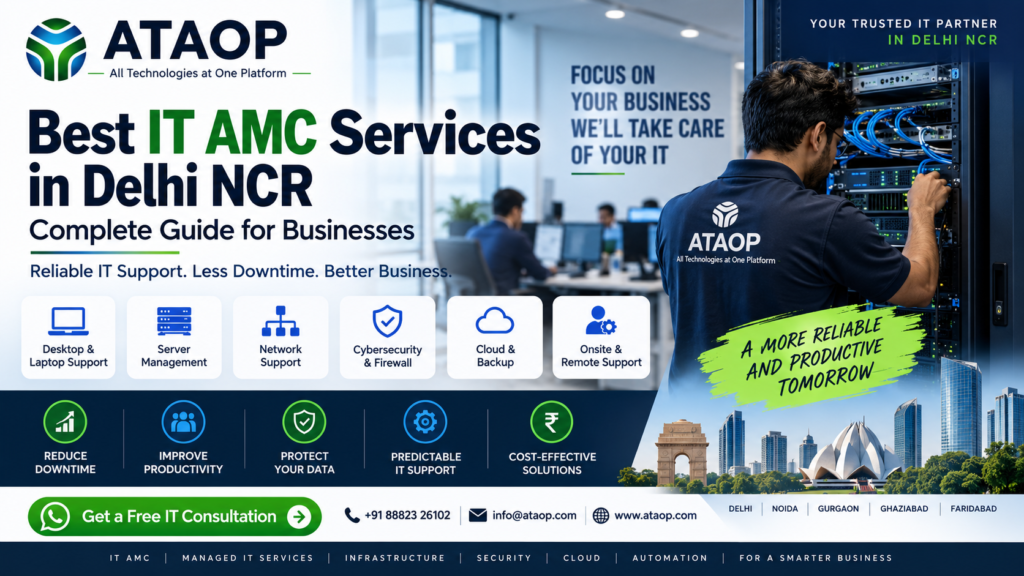
Best IT AMC Services in Delhi NCR: Complete Guide for Businesses
Best IT AMC Services in Delhi NCR: Complete Guide for Businesses
Running a business today without reliable IT infrastructure is almost impossible.
From employee computers and office Wi-Fi to servers, printers, network devices, backups and security systems, technology is involved in almost every business operation.
But there is a problem:
When IT stops working, your business can stop working too.
A server failure can interrupt operations.
A network problem can stop employees from working.
A missing backup can put important business data at risk.
Repeated computer issues can reduce employee productivity.
This is where IT AMC and Managed IT Services can help.
For businesses in Delhi NCR, a professional IT AMC provider can take responsibility for ongoing IT support, preventive maintenance, troubleshooting and infrastructure management instead of waiting for problems to become emergencies.
ATAOP provides IT AMC and Managed IT Services for businesses across Delhi NCR, covering helpdesk, desktop, server and network support, preventive maintenance, patch updates, user support, asset coordination and monthly reporting.
What Is IT AMC?
IT AMC stands for Information Technology Annual Maintenance Contract.
It is a service agreement between a business and an IT service provider for ongoing maintenance and technical support of the company’s IT infrastructure.
Instead of calling a technician every time something breaks, the company has a structured support arrangement.
Depending on the contract, IT AMC can cover:
- Desktop computers
- Laptops
- Servers
- Printers
- Routers
- Network switches
- Wi-Fi
- Firewalls
- Backup systems
- Operating systems
- Software issues
- IT infrastructure
- User support
The exact scope should always be defined in the AMC agreement.
Why Do Businesses Need IT AMC Services?
Many businesses operate their IT infrastructure reactively.
Something breaks → employee complains → technician is called → problem is fixed → business continues.
The problem is that this approach focuses on repairing problems rather than preventing them.
A proper IT AMC approach introduces preventive maintenance and structured support.
Without proper IT support:
IT Problem → Downtime → Productivity Loss → Delayed Work → Customer Impact
With managed IT support:
Monitoring → Preventive Maintenance → Faster Resolution → Reduced Downtime → Better Productivity
This is why businesses often look for IT AMC providers that can handle both day-to-day troubleshooting and proactive maintenance.
What Services Should an IT AMC Company Provide?
A professional IT AMC should be more than a person who repairs computers.
The service should be designed around the complete IT environment.
1. Desktop & Laptop Support
Employees depend on computers every day.
Support can include:
- Hardware troubleshooting
- Operating system issues
- Software installation
- System performance problems
- Printer configuration
- Network connectivity
- User support
- Basic security checks
2. Server Support
Servers are often critical to business operations.
Depending on the scope, AMC support may include:
- Server health checks
- Performance monitoring
- Storage checks
- Backup verification
- Operating system updates
- User/access support
- Troubleshooting
- Preventive maintenance
ATAOP’s managed IT service specifically includes server and network support as part of its coverage.
3. Network Support
A network problem can affect an entire office instead of just one employee.
IT AMC support can cover:
- LAN
- Wi-Fi
- Routers
- Switches
- Network connectivity
- Firewall-related issues
- Basic network troubleshooting
For larger organizations, network monitoring and structured maintenance become even more important.
4. Preventive Maintenance
This is one of the biggest differences between basic computer repair and professional managed IT support.
Instead of waiting for equipment to fail, preventive maintenance identifies potential issues earlier.
Typical checks may include:
- System health
- Storage
- Updates
- Patch status
- Backup readiness
- Network health
- Security configuration
- Hardware condition
ATAOP includes preventive maintenance and patch updates within its managed IT service offering.
Remote vs Onsite IT Support
A good IT AMC provider should be able to handle both remote and physical problems.
Remote IT Support
Remote support is useful for issues such as:
- Software errors
- Configuration problems
- User access issues
- Basic troubleshooting
- Application problems
- System settings
It can often resolve issues quickly without waiting for an engineer to travel.
Onsite IT Support
Some problems require physical intervention.
Examples include:
- Hardware failure
- Server-room issues
- Network equipment problems
- Cabling problems
- Physical inspection
- Device replacement
ATAOP provides both remote and onsite troubleshooting as part of its managed IT support model.
7 Major Benefits of IT AMC Services
1. Reduced IT Downtime
The faster an IT problem is identified and resolved, the less impact it can have on business operations.
2. Better Employee Productivity
Employees can focus on their actual responsibilities instead of spending hours trying to solve technical problems.
3. Preventive Maintenance
Regular maintenance can help identify potential problems before they become major failures.
4. Predictable IT Support
Businesses can establish a defined support model rather than dealing with every problem independently.
5. Better IT Visibility
Support records and periodic reporting can help identify recurring problems and infrastructure risks.
6. Improved IT Security
Regular updates, patching, access management and infrastructure checks can improve the overall security posture.
7. Easier Business Growth
As the company grows, its IT environment also becomes more complex. A managed support partner can help manage that growth.
ATAOP positions its managed IT services around reduced downtime, fewer recurring issues, predictable support and clearer IT ownership.
How Much Does IT AMC Cost in Delhi NCR?
This is one of the most common questions businesses ask.
The honest answer is:
There is no universal IT AMC price.
The cost depends on the business’s infrastructure and support requirements.
Factors can include:
- Number of computers
- Number of users
- Number of servers
- Network size
- Number of locations
- Firewall infrastructure
- Backup requirements
- Onsite support requirements
- Response-time requirements
- Security requirements
- Working hours
- SLA requirements
Some providers publicly advertise per-device or monthly pricing, but these figures vary significantly depending on scope and contract terms.
Therefore, choosing an AMC only because it is the cheapest can be a mistake.
A better approach is to compare:
Coverage + Response Time + Expertise + SLA + Preventive Maintenance + Reporting + Cost
IT AMC vs On-Call Computer Repair
This is an important distinction.
On-Call IT Support
You call someone when something breaks.
Problem → Call Technician → Pay → Fix
IT AMC
You have an ongoing support arrangement.
Support → Preventive Maintenance → Monitoring/Checks → Issue Resolution → Reporting
For businesses with regular IT requirements, an AMC can provide more predictable support than relying entirely on emergency repairs.
IT AMC vs In-House IT Team
Should you hire an IT employee or outsource IT support?
There is no universal answer.
| Factor | IT AMC | In-House IT |
|---|---|---|
| Initial staffing cost | Lower | Higher |
| Technical resources | Provider dependent | Internal |
| Scalability | Easier | Hiring required |
| Onsite support | Contract dependent | Internal |
| Infrastructure expertise | Provider dependent | Depends on team |
| Best suited for | SMBs & growing businesses | Larger IT-heavy organizations |
For some companies, the best option is actually a hybrid model where internal staff work alongside an external IT partner.
What Should You Check Before Choosing an IT AMC Company?
Don’t select an IT AMC provider just because someone says:
“We provide 24/7 IT support.”
Ask specific questions.
1. What exactly is covered?
Get the scope in writing.
2. Are servers covered?
If your business relies on servers, this matters.
3. Is networking included?
Ask about routers, switches, Wi-Fi and firewall support.
4. Is onsite support available?
Remote support cannot solve every physical problem.
5. What is the response process?
Understand how critical and normal tickets are handled.
6. Is preventive maintenance included?
If the provider only comes after something breaks, you’re buying repair support, not proactive IT management.
7. Are reports provided?
Reports can help identify recurring issues and IT risks.
8. What is excluded?
This is critical.
Read the exclusions before signing the contract.
IT AMC Services in Delhi, Noida, Gurgaon, Ghaziabad & Faridabad
Delhi NCR businesses are distributed across multiple major commercial areas, including:
- Delhi
- Noida
- Greater Noida
- Gurugram
- Ghaziabad
- Faridabad
This makes onsite coverage and response capability an important factor when choosing an IT support provider.
ATAOP positions its IT AMC service specifically for businesses in Delhi NCR and offers remote and onsite support.
Instead of choosing a provider based only on its office location, businesses should check whether the provider can actually support their locations and required response times.
Who Needs IT AMC Services?
IT AMC can be useful for many types of organizations.
Small Businesses
Businesses that don’t have a full-time IT team can outsource technical support.
Medium-Sized Businesses
Growing companies often need more structured IT management as their infrastructure expands.
Corporate Offices
Multiple employees, servers, networks and applications require ongoing support.
Manufacturing Companies
Production and office IT systems can require reliable infrastructure support.
Healthcare Organizations
IT availability and data protection can be particularly important.
Educational Institutions
Large numbers of computers, networks and users create ongoing IT support requirements.
Professional Firms
CA, legal, consulting and other professional organizations depend heavily on computers, internet and business applications.
Why Choose ATAOP for IT AMC Services in Delhi NCR?
ATAOP approaches IT AMC as part of a broader managed IT environment rather than only computer repair.
Its current managed IT offering includes:
- Helpdesk support
- Desktop support
- Server support
- Network support
- Remote troubleshooting
- Onsite troubleshooting
- Preventive maintenance
- Patch updates
- User onboarding
- Access support
- Asset coordination
- Monthly reporting
ATAOP also offers broader IT capabilities including server infrastructure, private cloud, cybersecurity, virtualization, ERP/CRM/HRMS, web applications and office IT infrastructure.
That broader capability can be useful when a business wants one technology partner instead of managing multiple separate IT vendors.
How ATAOP’s IT AMC Process Can Work
Step 1 — Understand
Your current IT infrastructure is reviewed.
Step 2 — Assess
The support requirements, risks and recurring problems are identified.
Step 3 — Define
The AMC scope, support requirements and responsibilities are clearly defined.
Step 4 — Support
Remote and onsite IT support is provided according to the agreed arrangement.
Step 5 — Maintain
Preventive maintenance and updates are performed.
Step 6 — Review
Issues, risks and recurring problems can be reviewed periodically.
The exact process should be customized according to the business environment.
IT AMC Checklist for Businesses
Before signing your next IT AMC contract, check whether it covers:
☑ Desktop & Laptop Support
☑ Server Support
☑ Network Support
☑ Wi-Fi Support
☑ Printer Support
☑ Preventive Maintenance
☑ Patch Updates
☑ Backup Checks
☑ Remote Support
☑ Onsite Support
☑ User Support
☑ Asset Tracking
☑ Escalation Process
☑ Service Reporting
☑ Clear Exclusions
☑ Defined Response Expectations
Frequently Asked Questions
IT AMC is an annual maintenance and support agreement through which an IT provider manages and supports defined IT infrastructure for a business.
Yes. It can be particularly useful for businesses that need regular IT support but don’t want to build a large internal IT team.
It can, depending on the agreement and scope. Businesses should confirm server coverage before signing the contract.
It can. Onsite availability, location coverage and response expectations should be clearly mentioned in the agreement.
Not always. The right option depends on company size, IT complexity, budget and internal requirements.
There is no single standard price. Cost depends on devices, users, servers, locations, infrastructure complexity and support requirements.
Yes. ATAOP offers IT AMC and managed IT services for businesses in Delhi NCR, including remote and onsite troubleshooting, preventive maintenance, patch updates and infrastructure support.
Conclusion
Your IT infrastructure should not become a problem that your employees deal with every day.
A professional IT AMC service can provide businesses with structured technical support, preventive maintenance and a defined approach to handling IT problems.
For companies in Delhi NCR, the right IT AMC partner should be evaluated on more than price.
Look at:
Coverage.
Response.
Technical expertise.
Preventive maintenance.
Security.
Reporting.
Scalability.
If your business is dealing with recurring computer problems, network issues, server downtime or a lack of reliable IT support, it may be time to move from reactive IT repair to proactive IT management.
Need IT AMC Support in Delhi NCR?
Talk to ATAOP about your current IT infrastructure and support requirements.
📞 +91 88823 26102
📧 info@ataop.com
🌐 ataop.com
ATAOP — All Technologies at One Platform