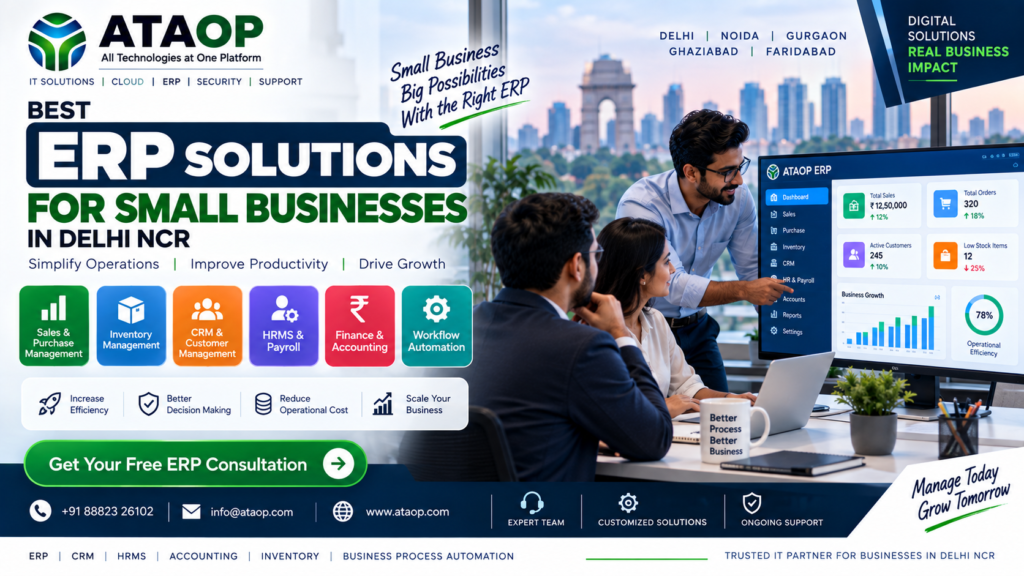
Best ERP Solutions for Small Businesses in Delhi NCR
Managing sales, inventory, accounts, employees and customer information can become difficult as a small business grows. Using separate software, spreadsheets and manual processes often creates confusion, duplicate data and reporting delays.
This is where ERP solutions for small businesses in Delhi NCR can help. ERP software brings important business operations together on one centralized platform, making it easier to manage daily activities and make informed decisions.
What Is ERP Software?
ERP stands for Enterprise Resource Planning. It is business management software that connects different departments and processes through a single system.
Depending on business requirements, an ERP system may include:
- Sales Management
- Purchase Management
- Inventory Management
- Accounting and Finance
- Customer Relationship Management
- Employee Management
- Attendance and Leave
- Reports and Dashboards
- Workflow Automation
Instead of maintaining separate records, businesses can manage important information through one integrated platform.
Why Small Businesses Need ERP Solutions
Many small businesses still depend on Excel sheets, manual registers and disconnected applications. These methods may work initially but become difficult to manage as the business expands.
A suitable ERP solution can help businesses:
1. Reduce Manual Work
ERP software can automate repetitive tasks such as invoice creation, purchase entries, stock updates and reporting.
2. Improve Data Accuracy
Centralized data reduces duplicate entries and minimizes errors caused by manual recordkeeping.
3. Manage Inventory Better
Businesses can track stock levels, product movement, purchase orders and low-stock alerts from one system.
4. Improve Financial Visibility
ERP software can help management monitor sales, expenses, payments, receivables and business performance.
5. Make Faster Decisions
Real-time dashboards and reports provide useful information for planning and business growth.
6. Improve Team Collaboration
Different departments can access the information they need according to their roles and permissions.
Important ERP Features for Small Businesses
The best ERP solution depends on the industry and business size. However, some features are useful for most organizations.
Sales and Purchase Management
Manage quotations, sales orders, purchase orders, invoices, suppliers and customer records.
Inventory Management
Track stock availability, product movement, warehouse records and reorder requirements.
Accounting Integration
Connect sales and purchase activities with financial records to improve reporting and payment tracking.
CRM Management
Manage customer details, leads, follow-ups, sales pipelines and communication history.
Employee Management
Maintain employee records, attendance, leave information and payroll-related data.
Reports and Dashboards
Access business reports related to sales, inventory, finance, customers and employee performance.
User Roles and Permissions
Control access to sensitive information based on employee responsibilities.
Types of ERP Solutions
Small businesses can choose different ERP models according to their requirements.
Cloud-Based ERP
Cloud ERP is hosted on a remote infrastructure and can be accessed through the internet. It may be suitable for businesses that need remote access and reduced hardware management.
On-Premise ERP
On-premise ERP is installed on the company’s own server infrastructure. It can provide greater control over hosting, data and customization.
Customized ERP
A customized ERP is designed or modified according to specific business workflows. It may be useful when standard software does not fully match business requirements.
Industry-Specific ERP
Some ERP platforms are designed for particular industries such as manufacturing, distribution, retail, healthcare or services.
How to Choose the Best ERP Software?
Before selecting an ERP solution, businesses should evaluate the following factors:
- Business size and industry
- Number of users
- Required modules
- Ease of use
- Customization options
- Integration capabilities
- Data security
- Reporting features
- Implementation time
- Technical support
- Future scalability
- Total ownership cost
A low-cost ERP may not always be the best choice if it lacks essential features or support.
ERP Solutions for Businesses in Delhi NCR
Businesses in Delhi, Noida, Gurgaon, Ghaziabad and Faridabad can use ERP solutions to manage operations more efficiently.
ERP implementation may be useful for:
- Trading Companies
- Manufacturing Businesses
- Retail Stores
- Distributors
- Service Companies
- Construction Businesses
- Healthcare Organizations
- Educational Institutions
- Startups and Growing Enterprises
The software should be configured according to the company’s existing processes, team structure and reporting needs.
ERP Implementation Process
A successful ERP implementation generally includes the following steps:
Step 1: Business Requirement Analysis
Understand current problems, workflows, departments and reporting requirements.
Step 2: ERP Selection
Choose a suitable platform based on features, budget, industry and scalability.
Step 3: Configuration and Customization
Configure modules, workflows, user roles, reports and business settings.
Step 4: Data Migration
Transfer relevant customer, supplier, inventory and business data into the new system.
Step 5: Testing and Training
Test the system and train employees before the final launch.
Step 6: Support and Improvement
Monitor usage, resolve issues and improve workflows based on business feedback.
Common ERP Implementation Mistakes
Businesses should avoid:
- Selecting software only because of its low price
- Ignoring employee training
- Migrating incorrect data
- Not defining user permissions
- Choosing unnecessary modules
- Failing to plan backups
- Not taking post-launch support
- Expecting complete automation without process planning
Proper planning can make ERP implementation smoother and more effective.
Why Choose ATAOP for ERP Solutions?
ATAOP provides ERP, CRM and HRMS solutions for businesses looking to improve operational efficiency and automate daily processes.
Our ERP services can include:
- Business Process Analysis
- ERP Software Configuration
- Sales and Purchase Workflows
- Inventory Management
- CRM Integration
- HRMS Features
- Reports and Dashboards
- Custom Business Workflows
- API and Third-Party Integration
- Employee Training
- Technical Support
We help businesses choose and configure solutions based on their operational requirements and future growth plans.
Conclusion
The best ERP solution for a small business is not necessarily the most expensive platform. It is the one that matches the company’s workflow, budget, team size and long-term goals.
A well-planned ERP system can reduce manual work, improve data accuracy, increase visibility and help businesses operate more efficiently.
If your business is still managing important operations through spreadsheets and disconnected tools, it may be time to explore a suitable ERP solution.
Looking for ERP Solutions in Delhi NCR?
📞 +91 88823 26102 📧 info@ataop.com 🌐 https://ataop.com
Manage Your Business Better. Automate Your Growth.
FAQ
What is ERP software for small businesses?
ERP software helps small businesses manage sales, purchases, inventory, finance, employees and other operations through one centralized platform.
Is ERP software useful for small companies?
Yes. ERP software can reduce manual work, improve reporting and help small businesses manage growth more efficiently.
How much does ERP software cost?
ERP cost depends on the number of users, required modules, customization, hosting, implementation and support requirements.
Should a small business choose cloud ERP or on-premise ERP?
Cloud ERP may be suitable for businesses needing remote access and lower infrastructure management. On-premise ERP may be preferred when greater control over hosting and data is required.
Can ERP software be customized?
Yes. Many ERP platforms can be configured or customized according to business workflows, reporting needs and industry requirements.
Does ATAOP provide ERP implementation services?
Yes. ATAOP provides ERP, CRM, HRMS configuration, workflow automation, integration, training and technical support for businesses.