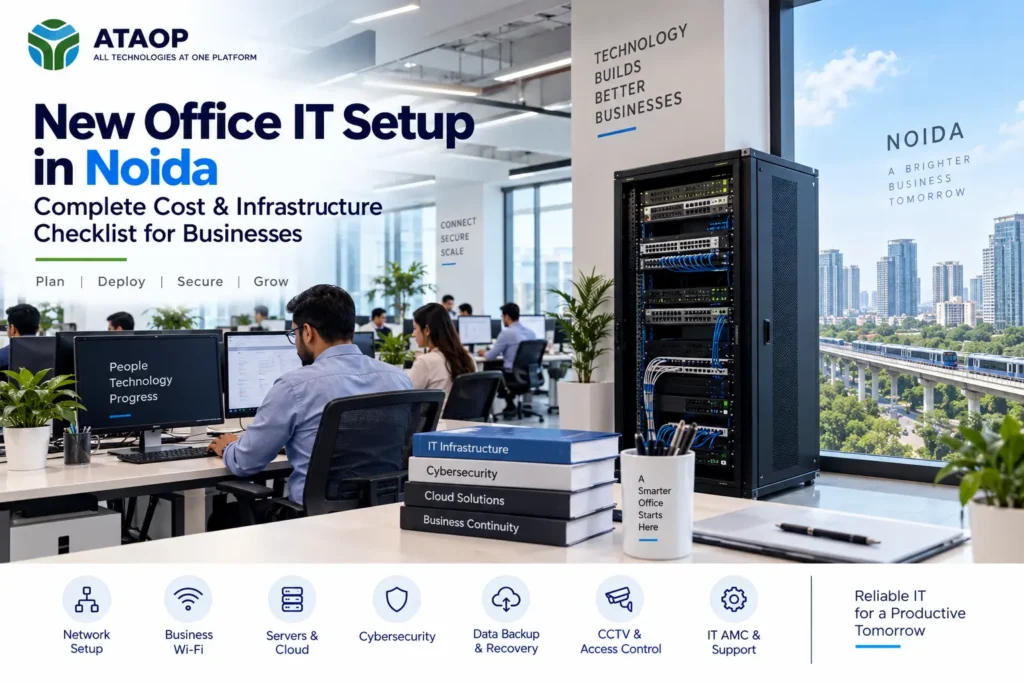
Setting up a new office in Noida involves much more than choosing furniture, installing workstations and getting an internet connection. Today, almost every business process depends on technology—from email and cloud applications to file sharing, ERP, CRM, video meetings, cybersecurity and customer communication.
A poorly planned office IT environment can lead to Wi-Fi dead zones, insufficient network ports, slow applications, security gaps, frequent downtime and expensive modifications after employees have already moved in.
That is why new office IT setup in Noida should ideally begin during the office planning and interior stage.
Whether you are opening a 10-person startup, relocating a 50-employee company or preparing infrastructure for 100+ users, this guide covers the essential office IT infrastructure checklist, network planning, server and cloud options, cybersecurity, backup and major cost factors businesses should consider.
What Is Included in a New Office IT Setup?
A complete office IT setup connects employees, devices, applications and business data through a secure and reliable technology environment.
Depending on the business, the project may include:
- Internet connectivity
- Structured LAN cabling
- Network rack and patch panels
- Managed network switches
- Business Wi-Fi access points
- Firewall and VPN
- Physical or virtual servers
- Cloud or private cloud infrastructure
- Desktops and laptops
- Printers and shared devices
- Data backup and recovery
- Endpoint security
- CCTV and access control
- IP phones or communication systems
- UPS and power backup
- IT monitoring and AMC support
The important point is to plan these components as one connected infrastructure, rather than purchasing each independently.
1. Start with an IT Requirement Assessment
Before buying switches, servers or Wi-Fi access points, understand how the office will actually operate.
An IT infrastructure assessment should consider:
Number of employees: How many people will work from the office initially?
Expected growth: Could 30 employees become 50 within the next year?
Devices: Count laptops, desktops, printers, CCTV cameras, IP phones, access points and other connected equipment.
Applications: Will employees use ERP, CRM, accounting software, cloud applications, large files or databases?
Data: Where will business files be stored and backed up?
Remote work: Do employees need secure access from outside the office?
Security: What information and systems require restricted access?
This assessment becomes the foundation for the entire office IT infrastructure design.
2. Plan Structured Cabling Before Interiors Are Finished
Structured cabling is one of the most important parts of a new office network.
Planning it after furniture, ceilings and interiors are completed can result in visible cables, difficult installation and unnecessary rework.
Your cabling plan should identify points for employee desks, Wi-Fi access points, printers, CCTV cameras, conference rooms, access-control devices, IP phones and servers.
Businesses commonly use Cat6 structured cabling for office LAN environments, although the appropriate specification depends on distance, speed and infrastructure requirements.
Every network point should ideally be properly terminated, labelled and documented.
Also plan extra points.
If your office has exactly 50 employees, designing exactly 50 network points leaves little room for additional users or devices.
3. Choose the Right Network Switches and Rack
Your office network setup needs switches capable of connecting all required wired devices.
Do not calculate switch capacity based only on employee count.
For example, network ports may also be required for:
- Wi-Fi access points
- CCTV cameras
- Network printers
- Servers
- IP phones
- Biometric devices
- Meeting-room equipment
- Access-control systems
Managed switches can provide capabilities such as VLAN configuration, network monitoring and traffic management.
Your switches, firewall, patch panels and related equipment should be organized inside an appropriately sized network rack with proper cable management and power protection.
A clean rack is not merely about appearance—it makes future troubleshooting and expansion easier.
4. Design Business Wi-Fi for Users, Not Just Floor Area
One of the most common new-office mistakes is buying a few Wi-Fi routers and placing them wherever convenient.
A professional business Wi-Fi setup should consider both coverage and capacity.
The number and placement of access points depend on:
- Office area
- Walls and partitions
- Employee density
- Number of devices per person
- Meeting rooms
- Application usage
- Nearby wireless interference
- Access-point capabilities
Remember that 50 employees do not necessarily mean 50 Wi-Fi devices. Employees may simultaneously connect laptops and smartphones, while meeting rooms and shared equipment add further demand.
A Wi-Fi assessment can help determine appropriate access-point placement and reduce dead zones.
5. Select Internet Connectivity and Redundancy
Internet connectivity has become business-critical.
Before selecting a connection only by advertised speed, consider what employees actually do online.
Video conferencing, cloud ERP, CRM, large file transfers, VoIP and cloud backup can all increase bandwidth requirements.
Organizations heavily dependent on internet access may also consider dual internet connections from separate providers.
A suitable firewall or router can be configured for failover or load management where required.
For a business where internet downtime stops operations, redundancy can be more important than simply purchasing the fastest available connection.
6. Physical Server, Virtual Server or Cloud?
A new office does not automatically need an onsite server.
First determine the workloads.
A physical server may be appropriate for dedicated local applications, file storage, databases or specialized workloads.
Server virtualization allows multiple virtual machines to operate on suitable physical infrastructure. Businesses might separate Active Directory, file services and applications into different virtual environments.
A cloud server can be appropriate where remote accessibility, flexibility or reduced onsite hardware is important.
Many organizations use a hybrid IT infrastructure, combining local systems and cloud services.
The right decision depends on:
- Applications
- Number of users
- Data volume
- Performance
- Internet reliability
- Security requirements
- Backup needs
- Budget
- Future growth
Avoid purchasing an expensive server simply because “every office needs one.” Equally, do not move every workload to the cloud without assessing cost, connectivity and application requirements.
7. Install a Business Firewall and Segment the Network
A basic internet router should not automatically be treated as the complete security architecture for a growing business.
A properly configured business firewall can provide capabilities such as:
- Traffic control
- VPN
- Web filtering
- Application control
- Intrusion prevention
- Network monitoring
- Security policies
Network segmentation is also worth planning from day one.
For example, you might separate:
Employee network
Server network
Guest Wi-Fi
CCTV/IoT network
Guest users generally do not need access to internal business servers or employee systems.
Separating network environments can improve both security and manageability.
8. Plan Cybersecurity Before Employees Start Working
Cybersecurity should be part of the initial office setup rather than something added after an incident.
A practical small business cybersecurity setup can include endpoint protection, operating-system patching, firewall policies, strong authentication, controlled administrator access and secure remote connectivity.
Employee onboarding and offboarding processes are equally important.
When someone joins, they should receive only the access necessary for their role. When an employee leaves, accounts and remote access should be removed promptly.
Where appropriate, businesses should also implement multi-factor authentication and disk encryption.
9. Create a Real Backup and Recovery Plan
Businesses often say, “Our data is backed up,” without knowing whether it can actually be recovered.
Your business data backup solution should answer four questions:
What are we backing up?
How frequently?
Where are the copies stored?
How quickly can we restore them?
Depending on the business, a backup strategy may combine local backup, NAS or dedicated storage, cloud backup and offsite copies.
Servers, databases, important user files and business applications may require different backup policies.
Most importantly, test recovery periodically.
A successful backup notification does not guarantee that the required data can be restored correctly.
10. Include CCTV, Access Control and Communication Systems
Your IT project may extend beyond traditional computers and networking.
A complete new office technology setup may also include:
- IP CCTV cameras
- Network video recording
- Biometric attendance
- Door access control
- IP telephony
- Conference-room systems
Planning these early is useful because they can affect cabling, PoE switch requirements, network segmentation, storage and rack capacity.
Coordination between the IT, electrical and interior teams can prevent significant rework later.
IT Infrastructure Checklist for 20, 50 and 100 Employees
Requirements vary considerably, but this framework can help with initial planning:
| Area | 20 Employees | 50 Employees | 100 Employees |
| Network | Structured LAN | Managed network | Scalable managed network |
| Wi-Fi | Business APs | Multi-AP deployment | Higher-density Wi-Fi |
| Firewall | Business firewall | UTM/NGFW based on needs | Higher-capacity security |
| Server | Cloud/local as required | Physical/virtual/cloud | Virtualized/hybrid possible |
| Backup | Local + offsite | Centralized backup | Centralized + DR planning |
| Security | Endpoint + MFA | Endpoint + segmentation | Centralized policies/monitoring |
| Support | On-demand/AMC | Managed IT/AMC | Structured helpdesk/managed IT |
These are planning categories, not fixed equipment recommendations. Actual infrastructure should be sized after assessing users, applications, traffic and office layout.
How Much Does New Office IT Setup Cost in Noida?
There is no responsible fixed price for a new office IT setup in Noida because every workplace has different requirements.
The total cost can depend on:
Office size: Larger spaces generally require more cabling and Wi-Fi coverage.
Number of employees: More users usually mean more network ports, devices and software licenses.
Network equipment: Managed switches, Wi-Fi access points, firewall and rack specifications affect the budget.
Server infrastructure: Physical servers, virtualization, storage and backup can significantly change project cost.
Cybersecurity: Firewall subscriptions, endpoint protection and other security controls may involve recurring licenses.
CCTV and access control: Camera count, storage retention and access points influence cost.
End-user devices: Laptop and desktop specifications can represent a significant portion of the overall technology budget.
Installation and configuration: Cabling complexity, testing, documentation and system configuration should also be included.
Rather than asking only “How much does office IT setup cost?”, request a quotation based on a documented requirement list.
That makes quotations from different IT vendors much easier to compare.
Common New Office IT Setup Mistakes
Avoid these problems:
- Designing only for today’s employee count
- Installing cabling after interiors are complete
- Using consumer Wi-Fi equipment for a growing office
- Ignoring backup and recovery
- Putting every device on one network
- Buying a server without defining its workload
- Not planning a secondary internet connection
- Ignoring UPS and power protection
- Failing to document network points and configurations
- Choosing equipment only by lowest price
- Having no plan for ongoing IT support
Your office may be new, but the infrastructure should be designed for where the business is going next.
Why Noida Businesses Should Plan IT Infrastructure Early
Noida and Greater Noida continue to attract corporate offices, technology companies, professional services firms, startups and expanding businesses.
For organizations moving into a new workspace, IT planning should ideally happen alongside interior design and electrical planning.
This allows the business to correctly position racks, LAN points, access points, CCTV, power outlets, UPS systems and meeting-room technology before finishing work is completed.
For businesses relocating from another office, the process should also include data migration, application migration, internet transition and downtime planning.
New Office IT Setup with ATAOP
Businesses planning IT infrastructure setup in Noida or Greater Noida can work with ATAOP (OPC) Private Limited for requirements spanning multiple areas of office technology.
ATAOP’s services include office IT infrastructure, networking and Wi-Fi, physical and virtual server infrastructure, firewall and cybersecurity, cloud and private cloud solutions, backup, virtualization and ongoing IT AMC support.
The objective is not simply to install hardware. It is to build an environment where networking, servers, security, backup and employee systems work together reliably.
ATAOP can also support business requirements across India, with project scope and onsite availability depending on location.
Frequently Asked Questions
What IT infrastructure does a new office need?
Most offices require internet connectivity, structured cabling, switches, business Wi-Fi, firewall, computers, backup, endpoint security and ongoing support. Servers, CCTV, access control and other systems depend on business requirements.
When should IT planning begin for a new office?
Ideally, IT planning should begin before electrical, ceiling and interior work is finalized. This allows cabling, racks, Wi-Fi and security systems to be incorporated into the office design.
Does every new office need a server?
No. Some businesses can operate primarily with cloud applications, while others require physical or virtual servers for applications, databases, file storage or authentication.
How much does office IT setup cost in Noida?
The cost depends on employee count, office area, cabling, Wi-Fi, switches, firewall, servers, backup, security and other technology requirements. A site and requirement assessment provides a more useful estimate than a generic per-user price.
Do I need IT AMC after completing the office setup?
For businesses without sufficient internal IT resources, an AMC or managed IT arrangement can provide preventive maintenance, troubleshooting, monitoring and ongoing technical support after implementation.