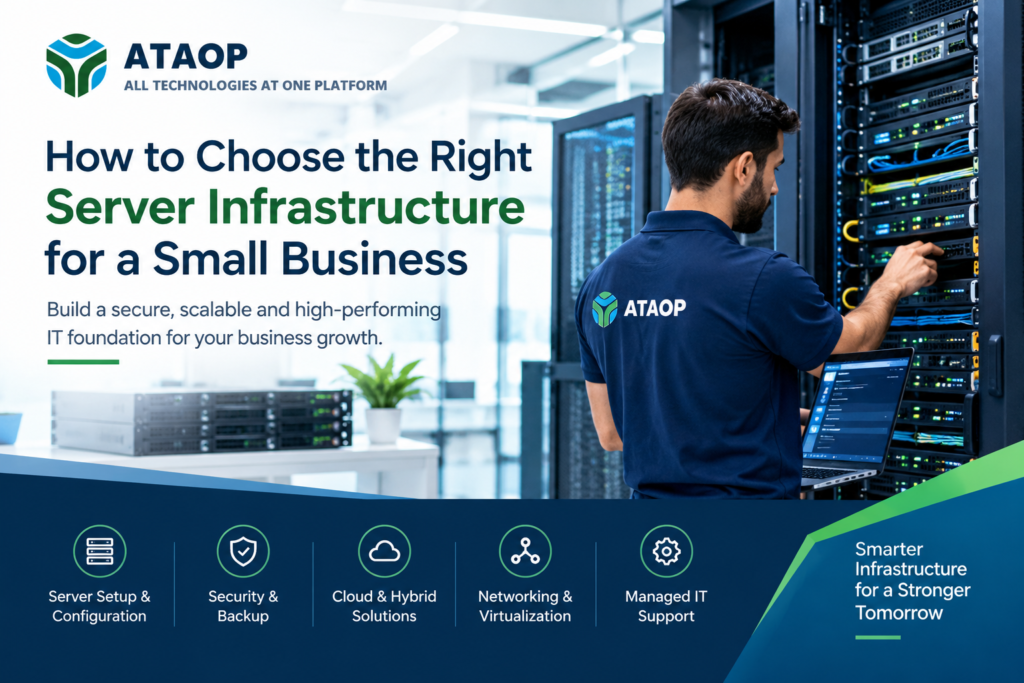
Choosing the right server infrastructure for a small business is not simply about buying a server with more RAM, faster processors, or larger storage. The right infrastructure should match your business applications, number of users, data requirements, security needs, budget, backup strategy, and expected growth.
A small business might need a traditional on-premises server, a cloud-based environment, virtualization, or a hybrid infrastructure that combines local and cloud resources. The best choice depends on the workloads rather than following a one-size-fits-all approach. Cloud providers also recognize that some workloads may benefit from remaining on-premises because of latency, data-processing, cost, or compliance considerations.
For businesses that need help planning, deploying, securing, and managing their infrastructure, ATAOP Server Infrastructure Services provides server installation and infrastructure management for Windows, Linux, backup, access control, hardening, and ongoing support.
What Is Server Infrastructure?
Server infrastructure is the combination of hardware, software, networking, storage, security, backup, virtualization, and management systems that support a company’s IT operations.
Depending on the business, a server environment may include:
- Physical servers
- Windows Server or Linux
- Active Directory
- DNS and DHCP
- File and print services
- Application and database servers
- Network switches and routers
- Firewalls and VPNs
- NAS or SAN storage
- Backup systems
- Virtual machines
- Cloud services
- Monitoring and security tools
For a small company, not every component is necessary. The objective is to build an infrastructure that provides sufficient performance, availability, security, scalability, and recoverability without creating unnecessary complexity.
1. Start With Your Business Requirements
Before selecting hardware or a cloud platform, identify what your business actually needs.
Ask:
- How many employees will use the system?
- How many applications need server resources?
- Are you running accounting, ERP, CRM, or database applications?
- How much data do you currently have?
- How quickly is your data growing?
- Do employees work remotely?
- Does the business require remote access?
- How much downtime can you tolerate?
- Are there compliance or data-location requirements?
- What is the IT budget?
- Do you have an internal IT administrator?
For example, a 10-person office primarily using Microsoft 365 may have very different infrastructure requirements from a 40-person organization running an ERP application, database, file server, CCTV storage, and centralized authentication.
The infrastructure should therefore be workload-driven rather than hardware-driven.
2. Decide Between On-Premises, Cloud, or Hybrid Infrastructure
One of the most important decisions is where your servers should operate.
On-Premises Server Infrastructure
An on-premises server is physically installed at your office or data center.
It can be useful when a business needs:
- Local file access
- Low-latency applications
- Centralized authentication
- Local databases
- Greater control over physical infrastructure
- Integration with local devices
- Predictable workloads
However, the business must also consider hardware maintenance, electricity, cooling, physical security, backup, replacement cycles, and technical management.
Cloud Server Infrastructure
Cloud infrastructure allows businesses to run workloads through providers such as AWS or Microsoft Azure without owning the underlying physical server hardware.
Cloud infrastructure can be attractive when a company needs:
- Flexible capacity
- Remote accessibility
- Rapid deployment
- Geographic availability
- Easier scaling
- Reduced dependence on physical hardware
However, cloud does not automatically mean cheaper or simpler. Architecture, security, storage, data transfer, licensing, monitoring, and ongoing administration still require careful management.
Hybrid Infrastructure
A hybrid server infrastructure combines on-premises and cloud resources.
For example, a business could maintain a local file or application server while using cloud storage, cloud backup, Microsoft 365, or cloud disaster recovery.
Hybrid environments can be appropriate when some workloads need local processing while others benefit from cloud scalability or accessibility. AWS and Microsoft both document hybrid approaches for organizations with mixed infrastructure requirements.
3. Choose the Right Server Hardware
If an on-premises server is appropriate, don’t select hardware solely based on processor speed.
Consider these components:
CPU
The processor should match your applications and concurrent workloads. A file server with a small number of users has very different CPU requirements from a database or virtualization host.
RAM
Memory can have a major effect on server performance, particularly for databases and virtual machines.
Consider your current workload plus reasonable future growth rather than purchasing exactly what you need today.
Storage
Storage should be selected based on capacity, performance, reliability, and backup requirements.
Depending on the workload, you may consider:
- SSD storage
- NVMe storage
- HDD storage for capacity
- RAID configurations
- NAS/SAN storage
RAID can improve availability or performance depending on the configuration, but RAID is not a backup. A separate backup strategy is still necessary.
Network Connectivity
A server is only as useful as the network connecting users and applications to it.
Evaluate:
- Network speed
- Switch capacity
- Wi-Fi requirements
- Firewall throughput
- Internet bandwidth
- VPN requirements
- Remote-user access
4. Think About Virtualization
A small business doesn’t necessarily need one physical server for every application.
With virtualization, multiple virtual machines can run on a physical server. This can consolidate workloads and improve resource utilization.
For example, one appropriately sized physical host might run separate virtual machines for:
- Domain services
- File services
- Application services
- Database services
- Monitoring
ATAOP provides virtualization infrastructure using platforms including Proxmox, VMware, and Hyper-V, with storage, networking, backup integration, migration, and operational support.
Virtualization can also make migration, recovery, and infrastructure expansion easier, but it should be designed carefully. A single physical host running everything can become a single point of failure unless appropriate backup and recovery measures are in place.
5. Don’t Ignore Backup and Disaster Recovery
A server isn’t properly designed if your business cannot recover its data.
Your backup strategy should answer:
What happens if the server fails tomorrow?
Consider:
- Automated backups
- Multiple backup copies
- Offsite or cloud backup
- Backup monitoring
- Backup retention
- Recovery testing
- Disaster recovery procedures
- Recovery Time Objective (RTO)
- Recovery Point Objective (RPO)
Simply having a backup job configured isn’t enough. You should periodically verify that backups are completing successfully and that critical data can actually be restored.
ATAOP’s server infrastructure services include backup planning, backup verification, recovery planning, and capacity and health reviews.
6. Build Security Into the Infrastructure
Security shouldn’t be added after the server is installed.
A small-business server environment should consider:
- Strong authentication
- Role-based access
- Least-privilege permissions
- Firewall protection
- Secure remote access
- Regular patching
- Endpoint security
- Server hardening
- Backup protection
- Network segmentation where appropriate
- Monitoring and logging
For Windows environments, services such as Active Directory, DNS, and DHCP may form an important part of centralized infrastructure. ATAOP supports these server roles as part of its infrastructure services.
7. Plan for Business Growth
The server you select today should not become a bottleneck six months from now.
Consider expected growth in:
- Employees
- Applications
- Data
- Database size
- Remote users
- Network traffic
- Virtual machines
- Backup storage
A scalable infrastructure doesn’t necessarily mean buying the most powerful hardware available. It means leaving sensible capacity for growth and selecting an architecture that can be expanded without a complete redesign.
8. Consider Management and Support
Even a well-designed server needs ongoing administration.
Regular server management may include:
- Operating-system updates
- Security patches
- Backup checks
- Storage monitoring
- Hardware health checks
- Performance monitoring
- User-access management
- Antivirus/security checks
- Troubleshooting
- Documentation
For businesses without a dedicated IT team, managed IT support can provide a practical alternative. ATAOP offers remote and onsite IT support, preventive maintenance, server health checks, backup checks, network support, patching, and monthly reporting options.
9. Calculate the Total Cost of Ownership
Don’t compare infrastructure based only on the purchase price.
Your total cost of ownership (TCO) can include:
- Server hardware
- Storage
- Operating-system licenses
- Application licenses
- Backup software
- Cloud subscriptions
- Firewall
- Network equipment
- Electricity
- Cooling
- Warranty
- Replacement hardware
- IT administration
- Security
- Monitoring
- Disaster recovery
A low-cost server that requires frequent upgrades or creates significant downtime may ultimately cost more than a properly planned solution.
What Server Infrastructure Is Right for a Small Business?
There is no universal answer.
A simple business may need only cloud applications and reliable networking. Another organization may benefit from a physical server for Active Directory, file sharing, and business applications. A growing company might require virtualization, redundant storage, cloud backup, and hybrid connectivity.
The right solution should be based on business requirements, workload characteristics, security, recovery objectives, scalability, and total cost of ownership.
How ATAOP Can Help With Server Infrastructure
Setting up the right server infrastructure requires more than simply purchasing and installing a server. Businesses need to consider performance, security, storage, backup, scalability, networking, and ongoing maintenance. ATAOP helps businesses plan and manage these requirements with a complete approach to server infrastructure.
From the initial assessment to deployment and ongoing support, ATAOP can help businesses build a reliable and secure server environment based on their specific requirements.
Our server infrastructure services include:
- Server sizing and infrastructure planning based on your business workload
- Windows and Linux server installation and configuration
- Active Directory, DNS, and DHCP setup
- File, application, and database server configuration
- Storage and RAID planning
- Server backup and recovery solutions
- User access and permission management
- Server security hardening and patch management
- Server monitoring and health checks
- Server migration and infrastructure upgrades
- Documentation and ongoing technical support
ATAOP can also integrate your server environment with networking, cybersecurity, virtualization, cloud infrastructure, office IT, and managed IT services. This helps businesses manage their technology as one connected and well-organized IT environment instead of dealing with separate solutions.
Whether you are setting up a server for a new office, upgrading an existing infrastructure, migrating workloads, or looking for ongoing server management, ATAOP can help you design and maintain a server environment that supports your business today and scales with you as you grow.