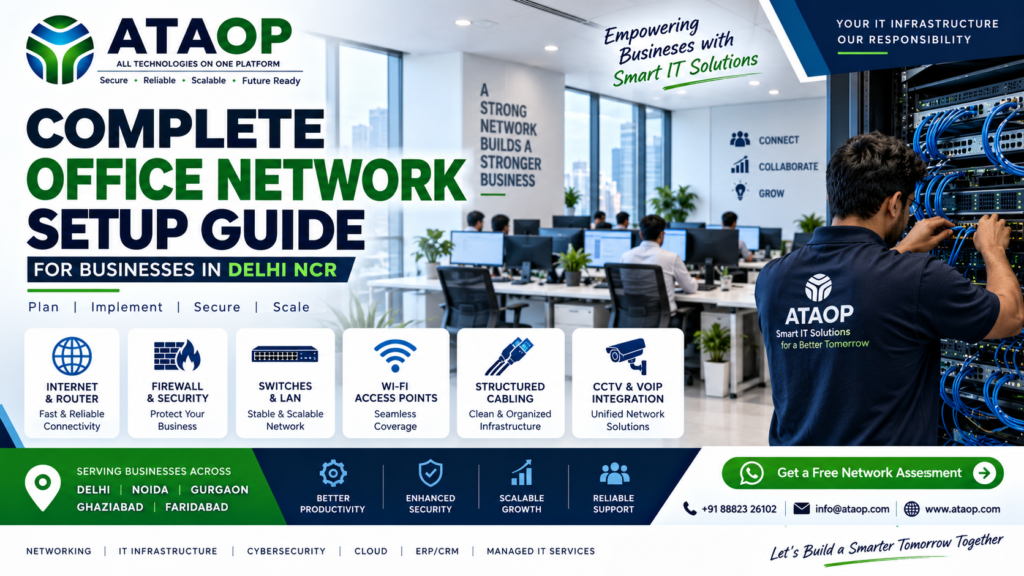
Complete Office Network Setup Guide for Businesses in Delhi NCR
A reliable office network is the backbone of modern business operations.
Employees need stable internet access, shared resources, cloud applications, printers, video meetings, internal systems and secure access to company data. When the network is poorly designed, even a fast internet connection can result in slow systems, frequent disconnections and productivity loss.
For businesses in Delhi NCR, a proper office network setup should therefore be planned around performance, security, scalability and reliability rather than simply installing a router and connecting computers.
This guide explains everything a business should consider when setting up or upgrading an office network.
What Is an Office Network?
An office network connects computers, laptops, servers, printers, Wi-Fi devices, security systems and other business equipment so they can communicate and access shared resources.
A typical business network may include:
- Internet connection
- Router
- Firewall
- Network switches
- Wi-Fi access points
- LAN cabling
- Patch panels
- Server
- Printers
- CCTV systems
- VoIP phones
- Employee computers
- Network storage
- VPN access
The exact setup depends on the size and requirements of the business.
Why Is a Proper Office Network Setup Important?
A poorly designed network can create problems that are difficult to diagnose.
Common complaints include:
“Wi-Fi keeps disconnecting.”
“Internet is slow even though we have a fast connection.”
“Some computers cannot access the server.”
“Employees cannot access shared files.”
“Video calls keep dropping.”
These aren’t always internet-provider problems.
The actual cause may be:
- Poor Wi-Fi coverage
- Incorrect network configuration
- Overloaded switches
- Faulty cables
- IP conflicts
- Poor router configuration
- Network congestion
- Lack of monitoring
- Security misconfiguration
A professionally designed network addresses these issues at the infrastructure level.
Components of a Complete Office Network
1. Internet Connection
The first requirement is a reliable business internet connection.
Depending on the business, you may need:
- Fiber internet
- Dedicated internet
- Business broadband
- Multiple ISP connections
For businesses where downtime is costly, a secondary internet connection can provide redundancy.
2. Router
The router manages traffic between the internal office network and the internet.
A business router should be selected based on:
- Number of users
- Internet speed
- Number of locations
- VPN requirements
- Security requirements
- Expected network traffic
Choosing a router simply because it is inexpensive is usually a bad idea for a growing business.
3. Firewall
A firewall provides an important security layer between the business network and external threats.
A business firewall can provide features such as:
- Traffic filtering
- Access control
- VPN
- Application control
- Threat protection
- Web filtering
- Network segmentation
For businesses handling sensitive data, firewall configuration should be treated as part of the security architecture rather than an optional add-on.
4. Network Switches
Switches connect devices inside the office network.
For example:
Computers → Switch → Router/Firewall → Internet
Businesses may use:
- Unmanaged switches
- Managed switches
- PoE switches
- Gigabit switches
- Multi-gigabit switches
Managed switches are particularly useful when businesses need VLANs, monitoring, access control or more advanced network management.
5. Wi-Fi Access Points
A single wireless router is rarely the right solution for a medium or large office.
Professional office Wi-Fi generally uses multiple access points positioned according to:
- Office size
- Number of users
- Building layout
- Walls and obstructions
- Expected device density
- Required coverage
Poor access-point placement can create dead zones and unstable connections.
6. Structured Cabling
A professional office network should use properly planned structured cabling.
This can include:
- Ethernet cables
- Patch panels
- Network racks
- Keystone modules
- Patch cords
- Cable management
- Labeling
Good cabling makes troubleshooting and future expansion significantly easier.
Office Network Design for Different Business Sizes
Small Office — 5 to 20 Users
A small office may need:
- Business internet
- Router/firewall
- 8/16/24-port switch
- 1–3 Wi-Fi access points
- Structured cabling
- Basic network security
The goal should be simplicity, reliability and room for future growth.
Medium Office — 20 to 100 Users
A medium-sized office may require:
- Business firewall
- Managed switches
- Multiple access points
- VLANs
- Structured cabling
- Guest Wi-Fi
- Server connectivity
- Network monitoring
- Backup internet connection
At this stage, network planning becomes much more important.
Large Office — 100+ Users
Large organizations may require:
- Multiple managed switches
- Core/distribution architecture
- Enterprise firewall
- Multiple internet connections
- VLAN segmentation
- Centralized Wi-Fi management
- Network monitoring
- Redundancy
- VPN
- Advanced access control
The network should be designed according to business applications, user density and security requirements.
What Is VLAN and Why Does an Office Need It?
A VLAN allows a physical network to be logically divided into separate networks.
For example:
VLAN 10 → Employees
VLAN 20 → Guest Wi-Fi
VLAN 30 → CCTV
VLAN 40 → Servers
VLAN 50 → VoIP
This can improve organization and security while reducing unnecessary network traffic between different groups.
However, VLANs should be designed properly. Simply creating VLANs without understanding routing, firewall policies and application requirements can create new problems.
Guest Wi-Fi vs Employee Wi-Fi
Businesses should avoid giving visitors unrestricted access to the internal office network.
A better architecture is:
Employee Wi-Fi → Internal Network
Guest Wi-Fi → Isolated Guest Network
Guest users should generally be restricted from accessing:
- Servers
- Shared folders
- Printers
- Internal applications
- Administrative systems
This is both a security and network-management consideration.
Office Network Security Checklist
A secure office network should consider:
✅ Firewall
✅ Strong administrator passwords
✅ Secure Wi-Fi authentication
✅ Guest network isolation
✅ Regular firmware updates
✅ Network segmentation
✅ VPN for remote access
✅ Access control
✅ Endpoint security
✅ Network monitoring
✅ Backup internet where required
Security should be built into the network from the beginning instead of added after a security incident.
Common Office Network Problems
Slow Internet
Possible causes include:
- Network congestion
- Poor Wi-Fi
- Old hardware
- Excessive bandwidth usage
- ISP problems
Frequent Wi-Fi Disconnections
Possible causes include:
- Poor access-point placement
- Interference
- Overloaded access points
- Configuration problems
- Weak signal
IP Address Conflicts
Incorrect network configuration can result in duplicate IP addresses and connectivity issues.
Poor Wi-Fi Coverage
Large offices may require multiple properly positioned access points rather than one powerful router.
Network Bottlenecks
Older switches, cables or network equipment can become bottlenecks as the business grows.
How to Plan an Office Network Setup
A professional network installation should begin with an assessment.
Step 1 — Understand the Office
Determine:
- Number of employees
- Number of floors
- Number of rooms
- Number of devices
- Server requirements
- Wi-Fi requirements
Step 2 — Identify Business Applications
Understand whether the business uses:
- Cloud applications
- ERP
- CRM
- Video conferencing
- VoIP
- File servers
- CCTV
- Remote access
Step 3 — Plan the Network
Design:
- IP addressing
- VLANs
- Wi-Fi
- Firewall
- Switching
- Routing
- Cabling
Step 4 — Install Infrastructure
Install:
- Racks
- Cables
- Switches
- Firewall
- Access points
- Patch panels
Step 5 — Configure & Test
Test:
- Internet speed
- Wi-Fi coverage
- LAN connectivity
- Server access
- Guest network
- Firewall policies
- VPN
- Network performance
Step 6 — Document Everything
Documentation should include:
- Network diagram
- IP address plan
- Device details
- VLAN information
- Cable labeling
- Configuration records
This makes future troubleshooting much easier.
How Much Does Office Network Setup Cost in Delhi NCR?
There isn’t a single price for office networking.
The cost depends on:
- Number of users
- Number of network points
- Number of access points
- Switches
- Firewall
- Router
- Cabling
- Rack
- Server requirements
- Network complexity
- Number of floors
- Security requirements
A 10-person office and a 200-person organization obviously won’t require the same infrastructure.
Therefore, businesses should request a site assessment and customized quotation rather than selecting an installation purely based on a low advertised price.
Office Network Setup in Delhi, Noida, Gurgaon, Ghaziabad & Faridabad
Businesses across Delhi NCR have different infrastructure requirements.
For example:
Delhi
Corporate offices, professional firms and established businesses may require secure and scalable networks.
Noida
IT companies, startups and corporate offices may need high-performance networking and reliable Wi-Fi.
Gurgaon / Gurugram
Large offices and multinational environments may require enterprise-grade networking, redundancy and security.
Ghaziabad
SMEs, manufacturing and commercial offices may need cost-effective but scalable infrastructure.
Faridabad
Manufacturing and industrial businesses may require reliable office networking along with connectivity to operational systems.
The network should be designed according to the actual business environment, not simply the city.
When Should You Upgrade Your Office Network?
Consider a network upgrade if:
- Wi-Fi frequently disconnects
- Internet feels slow despite a good ISP plan
- Employees complain about connectivity
- Network equipment is outdated
- Your office has expanded
- You added more employees
- New applications require higher bandwidth
- CCTV traffic is affecting the network
- Remote workers need VPN access
- Security requirements have increased
Adding more bandwidth alone may not solve the problem if the internal network infrastructure is the bottleneck.
Why Choose Professional Office Networking Services?
DIY networking may be sufficient for a very small office.
But as infrastructure grows, professional planning becomes increasingly valuable.
A professional network provider can help with:
- Network design
- Hardware selection
- Structured cabling
- Firewall configuration
- VLAN design
- Wi-Fi planning
- Installation
- Testing
- Documentation
- Monitoring
- Ongoing support
This can reduce the risk of creating an infrastructure that becomes difficult to manage later.
Why ATAOP for Office Network Setup in Delhi NCR?
ATAOP provides broader IT infrastructure and managed IT support for businesses, including server and network support, preventive maintenance, cybersecurity, firewall, cloud, backup and ongoing IT management. (ataop.com)
Instead of treating networking as an isolated installation, ATAOP can approach it as part of the organization’s wider IT environment.
That matters because your:
Network → Server → Security → Backup → Cloud → Applications
all need to work together.
ATAOP’s managed IT services also include remote and onsite troubleshooting and preventive maintenance. (ataop.com)
Office Network Setup Checklist
Before completing your office network installation, check:
- Internet connection
- Router
- Firewall
- Managed switch
- Wi-Fi access points
- Structured cabling
- Network rack
- Patch panel
- VLAN configuration
- Guest Wi-Fi
- Server connectivity
- CCTV network
- VPN
- Network security
- Backup internet
- Network monitoring
- Documentation
Frequently Asked Questions
How much does office network installation cost in Delhi NCR?
It depends on the number of users, network points, hardware, Wi-Fi requirements, firewall, cabling and overall network complexity.
How many Wi-Fi access points does an office need?
There is no universal number. It depends on office size, construction, user density, interference and required coverage.
Is a firewall necessary for a small business?
A business firewall can provide important security and network-management capabilities. The appropriate solution depends on the business’s risk and infrastructure requirements.
Should guest Wi-Fi be separate from office Wi-Fi?
Yes, businesses should generally isolate guest traffic from internal systems.
Should I use managed or unmanaged switches?
For very basic environments, unmanaged switches may be sufficient. Growing businesses that need VLANs, monitoring and greater control should consider managed switches.
Can ATAOP provide office network setup in Delhi NCR?
ATAOP provides IT infrastructure and server/network support for businesses and can be contacted to discuss specific office networking requirements. (ataop.com)
Conclusion
A reliable office network is much more than an internet connection and a Wi-Fi router.
A properly designed network combines:
Internet + Router + Firewall + Switches + Wi-Fi + Structured Cabling + Security + Monitoring
The right design depends on your number of users, office layout, applications, security requirements and future growth.
If your business is experiencing slow Wi-Fi, frequent network failures, connectivity issues or an outdated infrastructure, it may be time for a professional network assessment.
Need Office Network Setup in Delhi NCR?
Talk to ATAOP about your office networking requirements.
📞 +91 88823 26102
📧 info@ataop.com
🌐 ataop.com
ATAOP — All Technologies at One Platform