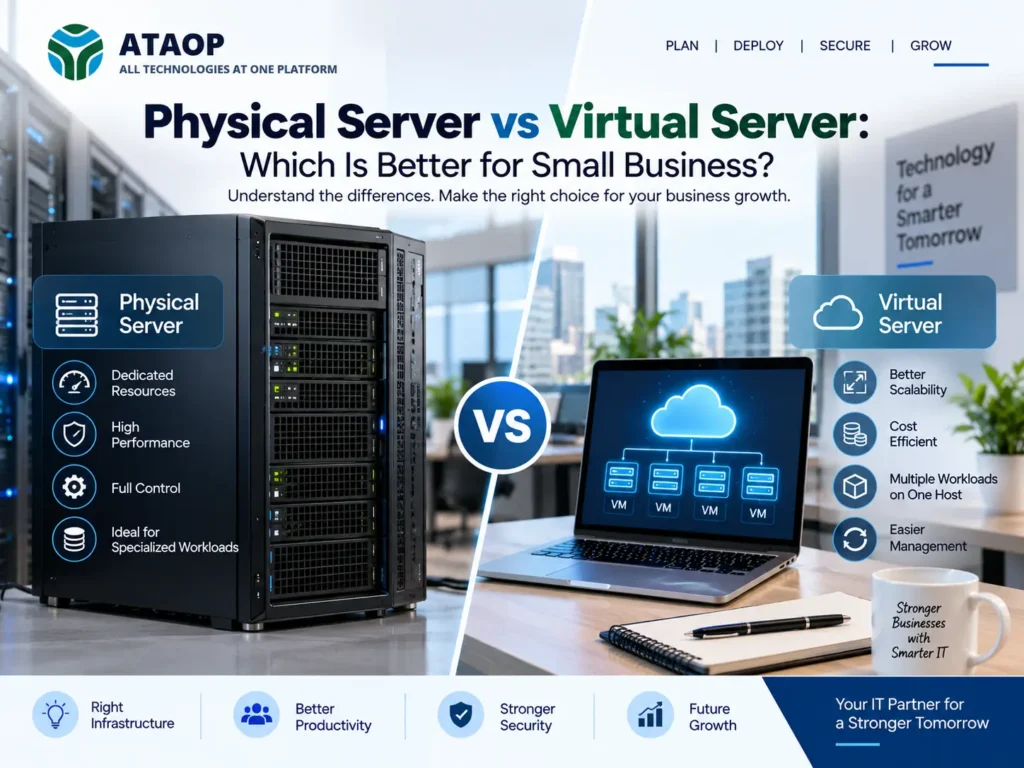
As a small business grows, its technology requirements usually become more complex. Shared files increase, business applications become more important, more employees need secure access to data, and downtime becomes increasingly disruptive. At this stage, many businesses start asking an important question: Should we use a physical server or a virtual server?
There is no single answer that works for every company.
A physical server can provide dedicated hardware resources and direct control, while virtualization can allow businesses to run multiple isolated server environments on shared physical infrastructure. For many small and medium-sized businesses, the right decision depends on workload, budget, scalability, backup requirements, application compatibility and internal IT capabilities.
This guide explains the physical server vs virtual server comparison in practical terms so small businesses can make a more informed infrastructure decision.
What Is a Physical Server?
A physical server is a dedicated hardware machine designed to run server workloads. It contains physical processors, RAM, storage, network interfaces and other components, similar in principle to a powerful computer but designed for business and data-centre workloads.
A physical server may be used for:
- File sharing
- Active Directory
- Business applications
- Databases
- ERP systems
- Accounting applications
- Backup
- Web applications
- Internal business software
For example, a small business might install one Windows Server machine in its office and use it for employee authentication, shared folders and a business application.
The operating system interacts directly with the server hardware when no virtualization layer is involved.
What Is a Virtual Server?
A virtual server, commonly called a virtual machine or VM, is a software-defined server environment running on physical hardware through a virtualization platform called a hypervisor.
Instead of using one physical server for one operating system or workload, virtualization can divide available computing resources among multiple virtual machines.
For example, one suitable physical host could potentially run separate virtual machines for:
VM 1: Active Directory
VM 2: File server
VM 3: Business application
VM 4: Internal database
Each virtual machine can have allocated CPU, memory, storage and networking resources.
Popular virtualization technologies used in business environments include VMware, Microsoft Hyper-V and Proxmox VE.
Physical Server vs Virtual Server: Quick Comparison
| Factor | Physical Server | Virtual Server |
| Hardware | Dedicated physical machine | Runs on a physical virtualization host |
| Resource allocation | Direct hardware resources | Allocated virtual resources |
| Multiple workloads | Often consolidated less flexibly | Multiple VMs can share a host |
| Scalability | May require hardware changes | VMs can often be adjusted more flexibly within host capacity |
| Isolation | Hardware-level separation | Logical isolation between VMs |
| Migration | Hardware-dependent | Often easier between compatible hosts |
| Backup | Traditional server backup | Can support VM-level plus application/data backup |
| Management | Straightforward for simple deployments | Requires virtualization knowledge |
| Initial planning | Hardware and workload sizing | Host + storage + VM sizing |
| Best suited for | Dedicated/specialized workloads | Consolidation and flexible infrastructure |
The best option depends on the workload rather than simply the size of the company.
Advantages of Physical Servers for Small Businesses
Physical servers still have an important role in modern IT infrastructure.
1. Dedicated Hardware Resources
A physical server’s hardware resources are dedicated to the workloads running directly on that machine.
This can be useful for applications requiring predictable access to CPU, RAM, storage or specialized hardware.
2. Simpler Architecture for Basic Requirements
If a small company requires only one server workload, a dedicated physical server may offer a relatively straightforward architecture.
There is no need to introduce virtualization purely for the sake of using it.
3. Application or Hardware Requirements
Some applications, licensing models or specialized hardware may influence the decision to use a physical environment.
Businesses should therefore check vendor requirements before deciding on server architecture.
Limitations of Physical Servers
Dedicated physical infrastructure also has trade-offs.
Hardware Utilization
A server may have significantly more CPU or memory capacity than a single application regularly uses.
Running several separate physical servers can therefore result in underused resources.
Scaling Can Require Hardware Changes
If a server reaches its memory, storage or processing limits, upgrading may require physical components or replacement hardware.
More Hardware to Manage
If every workload requires a separate physical server, businesses may need to maintain more machines, power supplies, storage devices and associated infrastructure.
This is one reason server virtualization became popular.
Advantages of Virtual Servers for Small Businesses
Virtualization can be particularly useful for organizations running multiple server workloads.
1. Better Resource Utilization
Instead of dedicating an entire physical machine to every application, businesses can allocate available host resources across several virtual machines.
This can improve infrastructure utilization.
2. Workload Separation
Different business functions can operate in separate virtual environments.
For example, the file server can remain separate from the application server even though both VMs run on the same physical host.
This provides logical isolation and can make server management more structured.
3. Easier Provisioning
Creating a new VM can often be faster than purchasing, installing and configuring another physical server, assuming the virtualization host has sufficient resources.
This can be useful for growing businesses.
4. Flexible Migration
Virtual machines are less tightly coupled to one specific physical server than traditional bare-metal installations.
With suitable infrastructure and compatible virtualization platforms, this can make migration and hardware replacement more manageable.
5. Backup and Recovery Options
Virtual environments can support VM-level backup and recovery methods alongside application-aware and file-level backups.
However, virtualization should not be confused with backup.
A virtual machine still needs a properly designed backup strategy.
What Are the Risks of Virtualization?
Virtualization is not automatically better simply because it is more flexible.
The physical virtualization host becomes extremely important.
If one physical host runs several critical VMs and that host fails without appropriate redundancy or recovery planning, multiple business services can become unavailable simultaneously.
Businesses should therefore consider:
- Hardware redundancy
- RAID/storage design
- Backup
- UPS and power protection
- Monitoring
- Recovery planning
- Spare capacity
- Hypervisor maintenance
More advanced environments may use multiple virtualization hosts, shared or replicated storage, clustering and high-availability technologies, depending on business requirements and budget.
Which Is More Cost-Effective: Physical or Virtual Server?
The answer depends on what you are comparing.
If a company needs only one simple server, implementing a sophisticated virtualization environment may introduce unnecessary complexity.
But consider a business that requires four separate server workloads.
A traditional approach might require multiple physical servers. A virtualization approach may allow those workloads to operate as separate VMs on appropriately sized physical infrastructure.
The business should compare the total cost of ownership, not just the purchase price.
Consider:
- Server hardware
- Operating system and software licensing
- Virtualization licensing, where applicable
- Storage
- Backup
- UPS
- Power and cooling
- Warranty
- Maintenance
- Monitoring
- IT support
- Future expansion
The cheapest initial option is not necessarily the most economical over several years.
Physical Server vs Virtual Server: Which Performs Better?
A physical server provides workloads with direct access to its hardware resources, whereas virtual machines operate through a virtualization layer.
However, performance decisions should be based on the actual application.
A properly sized virtual environment can support many common business workloads effectively. On the other hand, workloads with specialized hardware, unusual latency requirements or particular vendor specifications may favor physical deployment.
Instead of asking only, “Which is faster?”, businesses should ask:
What CPU, RAM, storage IOPS, network performance and availability does our application actually require?
That question leads to better server sizing decisions.
Which Is Better for a 20–50 Employee Business?
Employee count alone cannot determine server architecture.
Two businesses with 50 employees can have completely different requirements.
A professional services company might primarily use Microsoft 365 and cloud applications, requiring relatively little onsite server infrastructure.
A 30-person manufacturing company could run an ERP system, database, file storage and specialized applications locally.
Therefore, server planning should consider:
Applications → users → data → performance → security → backup → availability → future growth.
Not simply the number of employees.
What About Cloud Servers?
Small businesses are not limited to physical versus virtual servers inside their office.
A third option is cloud infrastructure.
Cloud-hosted virtual servers can be suitable for workloads requiring remote accessibility, flexible capacity or reduced dependence on onsite hardware.
Businesses may therefore choose among:
On-premise physical server
On-premise virtualized server
Cloud virtual server
Hybrid infrastructure
A hybrid environment combines local and cloud resources.
For example, a company might keep a business application on an onsite virtual server while using cloud services for email, collaboration and offsite backup.
Physical-to-Virtual Migration
Businesses with older physical servers do not necessarily need to keep the same architecture forever.
A physical-to-virtual migration (P2V) can move an appropriate physical server workload into a virtual machine.
This may be considered when:
- Replacing aging server hardware
- Consolidating multiple servers
- Building a virtualization environment
- Improving infrastructure flexibility
- Preparing for a data-centre or infrastructure migration
P2V projects should be carefully planned around application compatibility, storage, networking, licensing, downtime and backup.
Server Backup Is Essential in Both Cases
Whether you choose a physical or virtual server, backup remains essential.
A useful backup strategy considers:
- What data must be protected?
- How often should it be backed up?
- How long should backups be retained?
- Is an offsite copy required?
- How quickly must systems be restored?
- Has recovery actually been tested?
For virtual infrastructure, backing up only the host is not necessarily sufficient. The VM, applications and critical business data all need appropriate protection based on recovery requirements.
Security Considerations
Both physical and virtual servers require security management.
This can include:
- Operating system updates
- Security patching
- Firewall policies
- Endpoint/server protection
- Secure administrator accounts
- Multi-factor authentication where supported
- Access controls
- Network segmentation
- Monitoring
- Backup protection
Virtual environments also require the hypervisor and virtualization management interfaces to be properly secured.
Virtualization reduces hardware dependence; it does not eliminate cybersecurity risk.
How to Choose Between a Physical and Virtual Server
Before purchasing server hardware or deploying virtual machines, ask these questions:
- How many server workloads do we have?
- What applications will run on them?
- What are the CPU, RAM and storage requirements?
- How much downtime can the business tolerate?
- How quickly must data or systems be recovered?
- Are there application licensing restrictions?
- Will we add more applications or employees soon?
- Do we have the technical capability to manage virtualization?
- Would cloud or hybrid infrastructure be more appropriate?
- What is our total IT budget over the next three to five years?
Answering these questions is more useful than selecting a server simply because one option appears cheaper.
How ATAOP Can Help with Server Infrastructure
For businesses evaluating physical servers, virtual servers or hybrid infrastructure, ATAOP (OPC) Private Limited provides server infrastructure and virtualization services based on business requirements. pasted
ATAOP can assist organizations with physical server planning and deployment as well as virtualization environments using technologies such as Proxmox VE, VMware and Microsoft Hyper-V. Server projects can also involve storage planning, migration, backup, network integration, security and ongoing IT support.
For a growing business, the objective should not be to choose virtualization simply because it is newer, or physical hardware simply because it feels simpler. The infrastructure should match the workloads, budget, recovery requirements and expected growth.
Frequently Asked Questions
Is a virtual server better than a physical server?
Not universally. Virtual servers offer flexibility, consolidation and easier provisioning, while physical servers provide dedicated hardware resources. The right choice depends on workload and business requirements.
Can a small business use virtualization?
Yes. Small businesses running multiple server workloads can use virtualization, provided the host hardware, storage, backup and management environment are properly designed.
Can multiple virtual servers run on one physical server?
Yes. This is one of the main purposes of server virtualization. The number of VMs that can run effectively depends on the host’s CPU, RAM, storage, workload and performance requirements.
Is a virtual server the same as a cloud server?
No. A virtual server describes a virtualized computing environment. It can run on hardware in your own office or data centre. A cloud server is typically a virtual computing resource hosted on cloud infrastructure.
Does virtualization eliminate the need for backups?
No. Virtual machines and their business data still require a proper backup and recovery strategy.
Should a growing business choose physical, virtual or cloud servers?
It depends on applications, data, performance, security, availability, budget and growth plans. Some organizations benefit from a hybrid combination rather than choosing only one model.