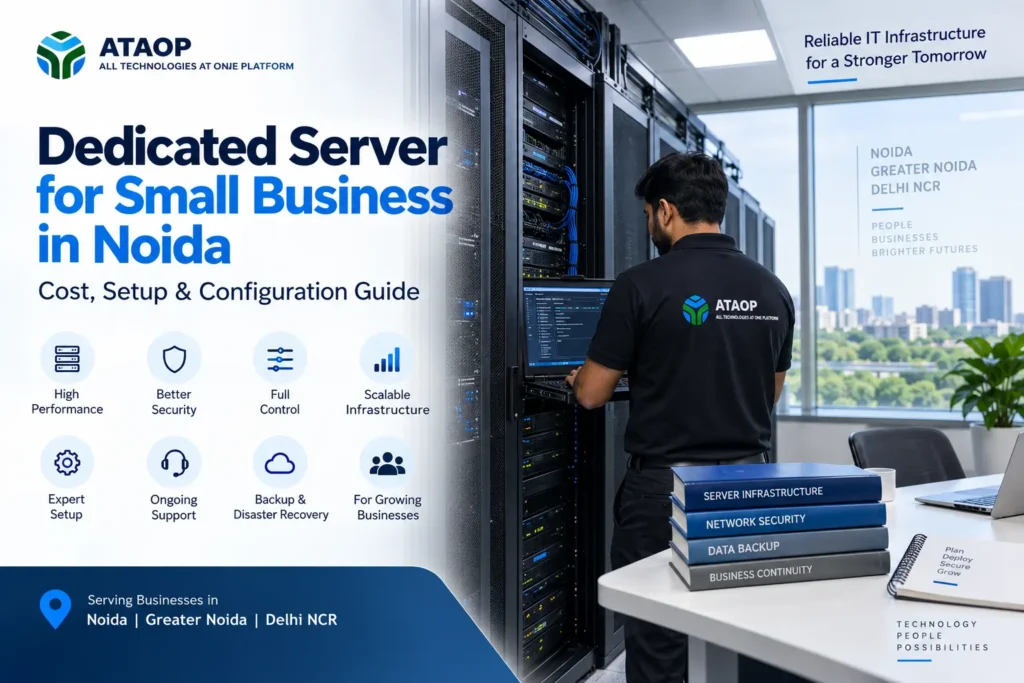
As a business grows, so does its dependence on data, applications and reliable IT infrastructure. Shared files become larger, ERP and CRM systems become business-critical, databases handle more transactions, and employees expect applications to remain available throughout the working day.
At this stage, many companies start considering a dedicated server for small business instead of relying entirely on individual computers, entry-level storage or unsuitable shared infrastructure.
But does every small business need a dedicated server? How much does a business server cost? What specifications should you choose? And should you install a physical server in your Noida office or use a virtual or cloud environment?
This guide explains the key considerations around dedicated server setup in Noida, including cost factors, hardware configuration, operating systems, RAID, networking, security, backup and ongoing server maintenance.
What Is a Dedicated Server?
A dedicated server is a physical server whose computing resources are dedicated to specific business workloads rather than being divided among unrelated organizations.
In an office environment, a physical business server may be installed onsite and used for purposes such as:
- Centralized file storage
- Active Directory and user management
- ERP or CRM applications
- Accounting applications
- Databases
- Internal web applications
- Backup
- Application hosting
- Virtual machines
For example, a 40-employee company may require a server for centralized authentication, shared business data and an ERP application.
The server configuration should be selected according to these workloads, rather than employee count alone.
Does a Small Business Really Need a Dedicated Server?
Not necessarily.
A 20-person company using cloud-based email, CRM, accounting and document collaboration may have little need for an onsite physical server.
Another 20-person company could operate a database, ERP software, shared design files or an application requiring local infrastructure.
A dedicated server for business becomes worth considering when you require greater control over infrastructure, centralized data, local application hosting, predictable resources or specific software configurations.
Ask these questions first:
What applications will run on the server?
How many simultaneous users will access them?
How much data do we currently have?
How quickly is that data growing?
What happens if the server becomes unavailable?
How quickly must we recover after a failure?
The answers determine whether you need a physical server, virtualization, cloud infrastructure or a combination of them.
Dedicated Server Setup for Small Businesses in Noida
A reliable business server setup involves much more than purchasing server hardware and installing Windows or Linux.
The complete environment should consider hardware, storage, networking, security, power and backup.
1. Choose the Processor According to Workload
CPU requirements depend on what the server will actually do.
Basic file sharing and authentication may require relatively modest processing resources. Databases, virtualization and business applications can require significantly more CPU capacity.
When discussing server specifications with a provider, explain the workload instead of simply asking for the “best processor.”
Important considerations include:
- Number of CPU cores
- Processor generation
- Application requirements
- Number of virtual machines
- Expected simultaneous users
- Future workload growth
Buying excessive CPU capacity can waste budget, while under-sizing the server can affect performance.
2. Calculate the Right Amount of RAM
Memory is particularly important for database servers, virtualization and applications supporting multiple simultaneous users.
A server used primarily for basic file storage has different memory requirements from one hosting an ERP database and several virtual machines.
Consider:
Current workload + expected growth + operating system requirements + application requirements.
If you expect the business to grow, select hardware that provides a practical upgrade path rather than consuming every available memory slot on day one.
3. SSD, NVMe or HDD Storage?
Storage selection can significantly affect server performance.
Traditional HDDs can still be useful where high-capacity storage is more important than maximum speed.
SSDs provide considerably faster storage performance for many business workloads, while NVMe storage can provide even higher performance where supported and justified by the application.
A business server might use different storage technologies for different purposes.
For example:
Fast SSD/NVMe storage: operating systems, databases and performance-sensitive applications.
High-capacity storage: archives or workloads where capacity matters more than speed.
Don’t choose storage based only on capacity. Consider performance, endurance, redundancy and workload.
4. Understand RAID Before Deploying the Server
Businesses commonly use RAID to improve storage availability or performance depending on the configuration.
Common options include RAID 1, RAID 5, RAID 6 and RAID 10.
The appropriate RAID configuration depends on factors such as:
- Number of drives
- Required usable capacity
- Performance
- Fault tolerance
- Workload
- Budget
However, one distinction is extremely important:
RAID is not a backup.
RAID may help protect against certain drive failures, but it does not replace protection against accidental deletion, ransomware, corruption or other incidents affecting the data.
Your server still requires an independent backup strategy.
Windows Server or Linux Server?
Another important decision during dedicated server configuration is the operating system.
Windows Server
Windows Server may be appropriate for organizations using:
- Active Directory
- Microsoft-centric environments
- Windows-based applications
- File and print services
- Applications specifically requiring Windows
Linux Server
Linux may be appropriate for:
- Web applications
- Databases
- Open-source workloads
- Certain development environments
- Application hosting
Neither is universally better.
The decision should be based primarily on application compatibility, administration requirements, licensing and technical expertise.
Physical Dedicated Server vs Virtualization
Buying a dedicated physical server does not necessarily mean running only one operating system on it.
With server virtualization, suitable physical hardware can host multiple virtual machines.
For example:
VM 1: Active Directory
VM 2: File Server
VM 3: ERP Application
VM 4: Database Server
Virtualization platforms such as Microsoft Hyper-V, VMware or Proxmox can be considered depending on technical and licensing requirements.
This approach can help separate workloads while utilizing physical server resources more efficiently.
However, virtualization also requires careful planning.
If several critical virtual machines depend on one physical host, a hardware failure can affect multiple business services. Backup, redundancy and recovery planning therefore become particularly important.
Dedicated Server vs Cloud Server for Small Business
One common question is whether a business should purchase a physical server or move workloads to the cloud.
The answer depends on the application.
A dedicated onsite server may make sense when:
- Applications require local infrastructure
- Large amounts of data are accessed locally
- The organization requires greater infrastructure control
- Internet dependency needs to be reduced for certain workloads
- Software has specific server requirements
Cloud infrastructure may make sense when:
- Remote accessibility is important
- Workloads need flexible scaling
- The business does not want to maintain certain onsite hardware
- Applications are already designed for cloud deployment
Many organizations use hybrid IT infrastructure, where some systems remain onsite while others operate in the cloud.
For example, a company could operate its ERP on a local server while using cloud services for email, collaboration and offsite backup.
Network and Firewall Configuration
A dedicated server should not be deployed without considering the surrounding network.
A professional server environment may require:
- Managed switches
- Appropriate network bandwidth
- VLANs
- Firewall policies
- Static IP configuration
- Secure remote access
- VPN
- Network monitoring
The server should not simply be connected to the same unrestricted network used by every device.
Where appropriate, network segmentation can separate servers, employees, guest Wi-Fi and CCTV/IoT devices.
A properly configured business firewall can further help control access to important server resources.
Server Security Checklist
Installing a server is only the beginning.
Businesses should establish a server security process covering:
Operating system updates: Keep supported operating systems appropriately patched.
Administrator access: Restrict administrative privileges to authorized users.
Authentication: Use strong credentials and additional authentication controls where appropriate.
Firewall: Limit unnecessary access and services.
Endpoint/server protection: Apply appropriate security controls to the server environment.
Monitoring: Watch for performance, storage and security issues.
Remote access: Avoid exposing server services unnecessarily to the public internet.
Backup protection: Backups should also be protected from unauthorized access.
Security should be maintained throughout the server’s lifecycle rather than performed once during installation.
Backup and Disaster Recovery
A dedicated server can contain some of the most valuable information in the business.
That makes server backup and disaster recovery essential.
A backup strategy should define:
- What needs to be backed up
- Backup frequency
- Retention period
- Local backup location
- Offsite or cloud copy
- Recovery time expectations
- Recovery testing
For critical workloads, consider what would happen if the entire physical server—not just one drive—became unavailable.
How long could your business operate without it?
The answer helps determine your required recovery strategy.
How Much Does a Dedicated Server Cost for a Small Business in Noida?
There is no single responsible price for every dedicated server setup in Noida.
The total investment depends on the configuration and workload.
| Cost Factor | What Affects It |
| Processor | CPU model, cores and performance |
| RAM | Capacity, type and expandability |
| Storage | HDD, SSD, NVMe, capacity and drive count |
| RAID | Controller and storage configuration |
| Server hardware | Tower/rack, brand and configuration |
| Operating system | Windows/Linux and licensing |
| Virtualization | Hypervisor and licensing requirements |
| Backup | Storage capacity and retention |
| Security | Firewall and security solutions |
| UPS | Required runtime and server load |
| Installation | Deployment and configuration complexity |
| Support | Warranty, monitoring and AMC |
A small file server and a virtualization host running multiple business applications should not be expected to cost the same.
Instead of asking vendors only for “dedicated server price in Noida,” provide them with your actual application and user requirements.
That produces a much more meaningful quotation.
Common Dedicated Server Setup Mistakes
Small businesses should avoid choosing server infrastructure purely on price.
Common mistakes include:
- Buying hardware before defining the workload
- Under-sizing RAM and storage
- Ignoring future expansion
- Treating RAID as backup
- Using poor-quality power protection
- Not monitoring storage capacity
- Exposing remote services unnecessarily
- Running unsupported operating systems
- Having no disaster recovery plan
- Keeping no documentation
- Having no ongoing server maintenance arrangement
A server may operate continuously for years, so decisions made during initial deployment can affect the business long after installation.
Server AMC and Ongoing Maintenance
Server infrastructure requires ongoing attention.
A server AMC or managed server support arrangement can include preventive maintenance, monitoring, operating-system updates, troubleshooting, backup checks, network support and performance reviews depending on the agreed scope.
For businesses without an internal server administrator, having a defined support process can be particularly useful.
Instead of searching for technical assistance only after a critical server failure, businesses can establish responsibility for regular maintenance and issue resolution beforehand.
Dedicated Server Services in Noida with ATAOP
Businesses considering a dedicated server in Noida, Greater Noida or Delhi NCR can work with ATAOP (OPC) Private Limited for server infrastructure planning and support.
ATAOP’s server-related capabilities include physical server deployment, Windows and Linux environments, server virtualization, networking, firewall integration, backup planning, migration and ongoing IT support.
For businesses considering virtualization, ATAOP can also help assess technologies such as Proxmox, VMware and Microsoft Hyper-V based on the infrastructure requirements.
The objective is not simply to sell or install a server. A properly designed server environment should connect hardware, storage, networking, security and backup into a reliable business infrastructure.
Frequently Asked Questions
Does a small business need a dedicated server?
Not every business does. A dedicated server is worth considering when applications, centralized storage, databases, security requirements or local workloads justify dedicated infrastructure.
How much RAM does a small business server need?
There is no fixed amount based solely on employee count. RAM should be calculated from the operating system, applications, simultaneous users, virtual machines and expected growth.
Is RAID enough for server backup?
No. RAID provides storage redundancy in certain failure scenarios but does not replace an independent backup and recovery strategy.
Should a business choose a physical or virtual server?
A physical server provides dedicated hardware, while virtualization allows multiple server environments to share suitable physical infrastructure. Businesses running several workloads may benefit from virtualization.
Is a dedicated server better than cloud hosting?
Neither is universally better. Dedicated servers can offer local control and predictable resources, while cloud infrastructure offers flexibility and remote accessibility. Some businesses use both.
Where can businesses get dedicated server setup services in Noida?
Businesses should look for a provider capable of assessing applications, hardware, networking, security, backup and ongoing support—not just supplying server hardware.