Cybersecurity is no longer something only large enterprises need to worry about. A growing small business may depend on email, cloud applications, laptops, servers, Wi-Fi, ERP or CRM systems, shared files and remote access every working day. If one of these systems is compromised, the impact can quickly move beyond IT and affect employees, customers and business operations.
For companies looking for a cybersecurity setup for small business in Noida, the challenge is knowing where to start. Should you install a firewall first? Is antivirus enough? How should backups be protected? What does cybersecurity actually cost?
A practical cybersecurity strategy does not mean buying every security product available. It means identifying business risks and building multiple layers of protection around users, devices, networks, servers, applications and data.
This guide explains the essential cybersecurity setup, firewall requirements, backup planning, security checklist and major cost factors that small businesses in Noida should consider.
What Does Cybersecurity Setup for a Small Business Include?
A complete business cybersecurity setup is more than installing antivirus software on employee computers.
Depending on the organization, it can include:
- Business firewall and network security
- Endpoint protection
- Secure Wi-Fi
- Network segmentation
- Server security
- Email security
- Multi-factor authentication
- VPN and secure remote access
- Data backup and disaster recovery
- User access controls
- Patch and update management
- Monitoring and alerts
- Employee cybersecurity awareness
- Incident and recovery planning
The exact combination should depend on your number of users, applications, infrastructure, data sensitivity and how employees access company systems.
Why Do Small Businesses in Noida Need Cybersecurity?
A company does not need hundreds of employees to have valuable digital assets.
Even a 10- or 20-person business may store customer information, quotations, financial documents, employee records, contracts, passwords, application data and confidential business files.
Common risks include phishing emails, stolen credentials, ransomware, malware, unauthorized access, insecure Wi-Fi, unpatched software and accidental data loss.
The objective of cybersecurity for small businesses is therefore not only to prevent attacks. Businesses should also be able to detect problems, limit their impact and recover critical systems when necessary.
A useful approach is:
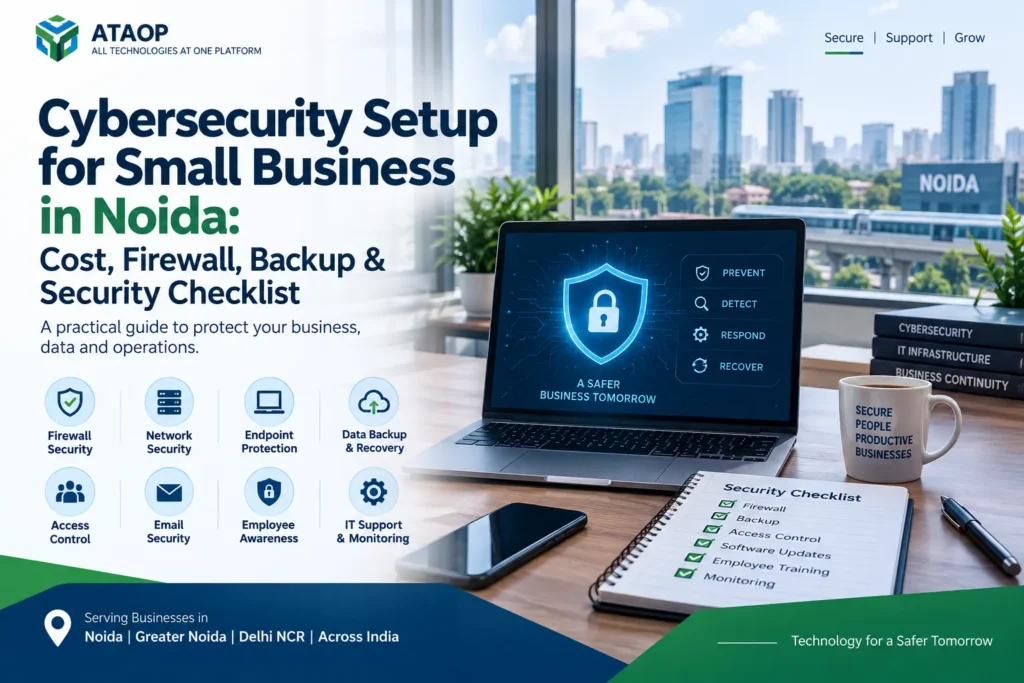
Prevent → Detect → Respond → Recover
1. Start With a Cybersecurity Assessment
Before purchasing security software or a firewall, understand what needs to be protected.
Create an inventory covering:
Users: Who has access to business systems?
Devices: How many desktops, laptops, servers and mobile devices are used?
Applications: Which ERP, CRM, accounting, cloud and business applications are critical?
Data: Where are important files and databases stored?
Network: What routers, switches, access points and firewalls are currently deployed?
Remote access: How do employees connect from outside the office?
Backup: What is backed up, where and how frequently?
This initial IT security assessment helps businesses prioritize security spending instead of purchasing unrelated tools.
2. Install and Properly Configure a Business Firewall
A business firewall is an important layer between your internal network and external traffic.
However, simply buying a firewall appliance does not automatically make a network secure.
Firewall configuration may involve:
- Access rules
- Application control
- Web filtering
- Intrusion prevention
- VPN policies
- Network segmentation
- Logging and monitoring
- Firmware updates
Firewall capacity should also match the organization’s internet bandwidth, number of users and enabled security features.
A firewall that appears powerful on a specification sheet may perform differently when multiple security services are enabled.
For businesses comparing firewall setup in Noida, configuration and ongoing management should therefore be considered alongside hardware cost.
3. Separate Employee, Guest and Critical Networks
One common mistake is putting every device on the same network.
Employee computers, guest devices, servers, CCTV cameras, printers and IoT devices do not necessarily need unrestricted communication with one another.
A better network security setup can use VLANs and firewall policies to create separate network segments, such as:
- Employee network
- Server network
- Guest Wi-Fi
- CCTV/IoT network
- Management network
For example, visitors using guest Wi-Fi generally should not be able to discover your internal file server.
Network segmentation can reduce unnecessary access and make the infrastructure easier to control.
4. Protect Every Business Endpoint
Firewalls protect the network perimeter, but employees still work directly from laptops and desktops.
Each business endpoint should have appropriate security controls.
A practical endpoint security setup may include:
- Endpoint protection
- Automatic operating-system updates
- Application patching
- Disk encryption where appropriate
- Restricted administrator privileges
- Screen-lock policies
- Controlled software installation
Organizations should also maintain an accurate inventory of business devices.
If a laptop is lost or an employee leaves the organization, the business should know exactly which accounts, applications and data may have been accessible from that device.
5. Use Strong Authentication and MFA
Passwords remain a major part of business security, but passwords alone should not always be the only protection.
Businesses should use unique credentials and implement multi-factor authentication (MFA) where supported, particularly for important systems such as:
- Business email
- Cloud administration
- VPN
- Financial applications
- CRM/ERP
- Server administration
- Backup platforms
Shared administrator passwords should be avoided wherever possible.
Each administrator should ideally have an identifiable account so activity can be managed and reviewed appropriately.
6. Secure Servers and Business Applications
Businesses operating physical or virtual servers need additional security controls.
A server security setup can include:
- Operating-system patching
- Firewall configuration
- Restricted administrative access
- Endpoint/server protection
- Secure remote administration
- Service hardening
- Backup
- Monitoring
- Log review
Unnecessary services and exposed ports should be minimized.
Businesses should also periodically review who still requires server access. Employees changing roles or leaving the company should not retain unnecessary permissions.
This principle is often described as least-privilege access—users receive only the access required to perform their work.
7. Secure Remote Access With VPN
Remote work and vendor access can create additional security challenges.
Employees or administrators may need to access internal applications, servers or files while outside the office.
Instead of exposing internal services directly to the internet, businesses can consider properly configured VPN and secure remote access solutions.
Remote access policies should define:
- Who can connect
- Which systems they can access
- Authentication requirements
- Device security requirements
- When access should be removed
Remote connectivity should be treated as part of your cybersecurity architecture, not simply as a convenience feature.
8. Build a Proper Backup and Disaster Recovery Strategy
Backup is one of the most important parts of ransomware protection and business continuity.
But simply copying files to another folder or keeping a backup drive permanently connected may not provide sufficient protection.
A business backup plan should answer:
What data is critical?
How often should it be backed up?
How long should backups be retained?
Is there an offsite copy?
Who can access or delete backups?
How quickly can systems be restored?
Depending on the environment, businesses may use a combination of local storage, dedicated backup systems and cloud/offsite backup.
Most importantly:
A backup should be tested for recovery.
A backup job showing “successful” is useful, but the real objective is being able to restore required data when something goes wrong.
9. Keep Software and Systems Updated
Unpatched systems can create avoidable security exposure.
Your cybersecurity process should cover updates for:
- Windows/Linux servers
- Employee computers
- Firewall firmware
- Network equipment
- Business applications
- Browsers
- Plugins and extensions
Updates should be managed carefully, particularly for business-critical servers and applications where compatibility needs to be considered.
This is where managed IT services and preventive maintenance can become valuable for organizations without a dedicated internal IT team.
10. Train Employees to Recognize Cyber Threats
Technology cannot eliminate every cybersecurity risk.
Employees should understand common warning signs such as:
- Suspicious email links
- Unexpected attachments
- Fake login pages
- Password-reset scams
- Unusual payment requests
- Unknown USB devices
- Requests for confidential information
A short, practical cybersecurity awareness program can be more useful than overwhelming employees with highly technical information.
The goal is to create a culture where employees verify suspicious activity rather than automatically trusting it.
Cybersecurity Checklist for Small Businesses
Use this checklist as a starting point:
| Security Area | What to Check |
| Firewall | Business firewall configured and updated |
| Network | Employee, guest and critical systems appropriately separated |
| Wi-Fi | Strong encryption and controlled access |
| Endpoints | Security protection and updates enabled |
| Passwords | Strong, unique credentials |
| MFA | Enabled for important accounts where available |
| Servers | Patched, hardened and monitored |
| Remote Access | Secure VPN/access policies |
| Backup | Automated and protected |
| Recovery | Restore process periodically tested |
| Appropriate email security controls | |
| Access | Former employees removed promptly |
| Monitoring | Important systems monitored |
| Employees | Basic security awareness training |
| Documentation | Network, access and recovery information maintained |
Businesses do not necessarily need to implement everything at the same level. Controls should reflect actual risk and operational requirements.
How Much Does Cybersecurity Setup Cost for a Small Business in Noida?
There is no single fixed cybersecurity cost for small businesses.
The price depends heavily on the existing IT environment and the level of protection required.
Major cost factors include:
Number of Employees and Devices
Protecting 10 computers is different from managing 100 endpoints, several servers and multiple office locations.
Firewall Requirements
Firewall pricing can depend on hardware capacity, bandwidth, security subscriptions, VPN requirements and support.
Endpoint Security
Licensing is often influenced by the number of protected devices and the type of endpoint-security platform selected.
Server and Cloud Environment
Organizations operating servers, virtual machines, cloud workloads or hybrid infrastructure may require additional controls.
Backup Requirements
Backup cost depends on data volume, retention period, storage location and recovery requirements.
Monitoring and Managed Support
Businesses may choose ongoing managed cybersecurity or IT AMC services rather than maintaining every security system internally.
Instead of asking only “How much does cybersecurity cost in Noida?”, businesses should first define their users, devices, applications, network and data requirements.
That allows an IT provider to recommend appropriate controls rather than an arbitrary package.
Common Cybersecurity Mistakes Small Businesses Should Avoid
Several avoidable mistakes can weaken otherwise good IT infrastructure:
- Depending only on antivirus
- Using weak or shared passwords
- Leaving former employee accounts active
- Giving everyone administrator privileges
- Using the same Wi-Fi/network for everything
- Ignoring firewall updates
- Exposing servers directly to the internet
- Keeping backups without testing recovery
- Delaying software patches indefinitely
- Having no documented recovery plan
- Waiting for a cyber incident before reviewing security
Cybersecurity works best as an ongoing process rather than a one-time installation.
Cybersecurity Services in Noida with ATAOP
Businesses looking for cybersecurity services in Noida, Greater Noida or Delhi NCR can consider ATAOP (OPC) Private Limited for security requirements that connect with the wider IT infrastructure.
ATAOP’s services cover areas such as firewall deployment and configuration, network security, VPN, server infrastructure, endpoint security, backup and recovery, cloud solutions, virtualization, IT AMC and managed IT support.
This integrated approach can be particularly useful because cybersecurity problems often cross multiple systems.
For example, protecting a business server may involve the firewall, network configuration, operating system, user permissions, endpoint security, backup and monitoring—not just one security product.
The objective should be to build security around how the business actually operates.
Frequently Asked Questions
What cybersecurity does a small business need?
Most small businesses should consider firewall protection, endpoint security, strong authentication, MFA, secure Wi-Fi, regular patching, backup, access control and employee security awareness. Requirements vary depending on applications and data.
Is antivirus enough for a small business?
No. Antivirus or endpoint protection is only one layer. Network security, authentication, backups, patching and secure access are also important.
Does a small office need a firewall?
Businesses handling important data or operating internal systems can benefit from a properly configured business firewall. The appropriate firewall depends on users, bandwidth, network design and security requirements.
How can a small business protect itself from ransomware?
Useful measures include endpoint security, patching, controlled privileges, employee awareness, network segmentation and protected backups with tested recovery procedures.
How often should business backups be tested?
There is no universal interval. Testing frequency should reflect the importance of the data and recovery requirements. Critical systems generally warrant more frequent recovery verification.
Can ATAOP provide cybersecurity support in Noida?
ATAOP (OPC) Private Limited provides firewall, cybersecurity and broader IT infrastructure services for businesses in Noida, Greater Noida and other locations depending on project requirements.