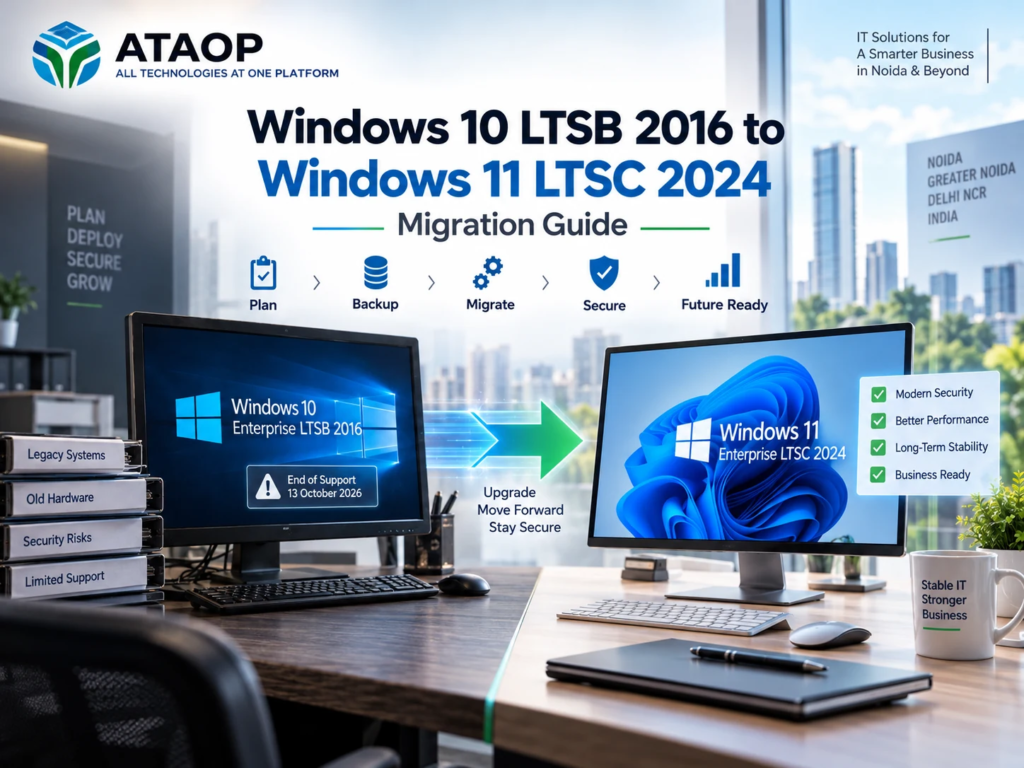
Microsoft Windows 10 Enterprise LTSB 2016 reached its end-of-support date on October 13, 2026, creating an important technology transition for businesses still using this operating system.
Many organizations rely on Windows 10 LTSB 2016 for industrial computers, manufacturing systems, healthcare devices, kiosks, point-of-sale terminals and other specialized business applications. While these systems may continue operating after the support deadline, running an unsupported operating system can introduce cybersecurity vulnerabilities, software compatibility problems and maintenance challenges.
For businesses planning a Windows 10 LTSB 2016 to Windows 11 LTSC 2024 migration, understanding hardware requirements, licensing, application compatibility and deployment methods is essential.
This guide explains how to migrate from Windows 10 Enterprise LTSB 2016 to Windows 11 Enterprise LTSC 2024, including preparation, backup, installation, common challenges, migration costs and practical considerations for businesses in Noida, Greater Noida and Delhi NCR.
What Is Windows 10 Enterprise LTSB 2016?
Windows 10 Enterprise LTSB 2016 is a specialized Windows edition designed for devices requiring long-term stability and limited feature changes.
LTSB stands for Long-Term Servicing Branch, an earlier name for what Microsoft now calls the Long-Term Servicing Channel (LTSC).
Unlike standard Windows editions that receive regular feature updates, LTSB and LTSC versions prioritize a stable operating environment for specialized workloads.
Common use cases include:
- Industrial and manufacturing computers
- Medical and diagnostic equipment
- Point-of-sale systems
- Digital signage and kiosks
- Laboratory and testing equipment
- Dedicated enterprise workstations
These systems often run business-critical applications that require extensive compatibility testing before an operating-system change.
Windows 10 LTSB 2016 End of Support: What Changes?
Windows 10 Enterprise LTSB 2016 reached the end of its extended support lifecycle on October 13, 2026.
After this deadline, organizations should not expect regular security updates or standard Microsoft support for that edition.
What Are the Risks of Continuing to Use Windows 10 LTSB 2016?
Security vulnerabilities: Newly discovered weaknesses may remain unpatched, increasing exposure to cyber threats.
Application compatibility: New software, drivers and security products may gradually stop supporting the older operating system.
Compliance concerns: Organizations subject to security standards or customer requirements may face challenges when operating unsupported systems.
Maintenance difficulties: Older hardware, drivers and specialized applications may require additional troubleshooting and support.
Importantly, end of support does not automatically stop a computer from working. Businesses should assess the actual risks and plan a controlled migration rather than rushing into an untested upgrade.
What Is Windows 11 Enterprise LTSC 2024?
Windows 11 Enterprise LTSC 2024 is designed for specialized devices and environments that require a consistent Windows platform over an extended servicing period.
It provides a newer Windows foundation while limiting the frequent feature changes associated with general-purpose Windows releases.
Windows 10 LTSB 2016 vs Windows 11 LTSC 2024
| Feature | Windows 10 Enterprise LTSB 2016 | Windows 11 Enterprise LTSC 2024 |
| Release year | 2016 | 2024 |
| Servicing model | Long-term servicing | Long-term servicing |
| Security updates | Regular support ended | Supported |
| Hardware requirements | Older Windows 10 requirements | Newer Windows 11 requirements |
| TPM requirements | Not universally required | TPM 2.0 required |
| Secure Boot capability | Not generally required | Required capability |
| Application compatibility | Legacy application support | Requires validation |
| Suitable environment | Specialized legacy devices | Compatible specialized devices |
Windows 11 Enterprise LTSC 2024 has a five-year support lifecycle, with support scheduled through October 9, 2029. Windows 11 IoT Enterprise LTSC 2024 has a different lifecycle and should not be confused with the Enterprise edition.
Businesses should select the appropriate edition based on device purpose, licensing eligibility and expected operating lifespan.
Can You Upgrade Windows 10 LTSB 2016 Directly to Windows 11 LTSC 2024?
Do not assume that a direct in-place upgrade is supported.
Microsoft’s Windows upgrade paths depend on the source edition, target edition, version, language and servicing channel.
Moving from Windows 10 Enterprise LTSB 2016 to Windows 11 Enterprise LTSC 2024 requires checking the officially supported upgrade path before attempting installation.
For many legacy environments, a clean installation with application and data migration is the safer planning approach.
A clean installation means deploying the new operating system and reinstalling or restoring required applications, settings and user data.
This requires more preparation than an in-place upgrade but can avoid carrying forward legacy configuration problems.
Windows 11 LTSC 2024 Minimum System Requirements
Before purchasing licenses or scheduling migration, verify that existing computers meet Windows 11 requirements.
| Component | Minimum requirement |
| Processor | Compatible 64-bit processor, 1 GHz or faster, 2 or more cores |
| RAM | 4 GB |
| Storage | 64 GB or larger |
| Firmware | UEFI |
| Secure Boot | Secure Boot capable |
| TPM | TPM 2.0 |
| Graphics | DirectX 12 compatible with WDDM 2.0 driver |
| Display | HD display, 720p, larger than 9 inches |
These are baseline requirements, not recommended specifications for every business workload.
Organizations running ERP software, industrial applications or multiple business programs may require additional memory, storage and processing capacity.
A processor must also satisfy Microsoft’s applicable compatibility requirements; meeting the basic clock-speed specification alone is not sufficient.
Step-by-Step Windows 10 LTSB 2016 to Windows 11 LTSC 2024 Migration Guide
Step 1: Identify Devices Running Windows 10 LTSB 2016
Start by creating an inventory of computers running the older operating system.
Record device models, processor details, RAM, storage capacity, TPM status, application dependencies and network configurations.
For businesses with multiple offices, a centralized IT asset inventory can simplify the assessment.
Step 2: Check Windows 11 Hardware Compatibility
Verify processor support, TPM 2.0, UEFI firmware and Secure Boot capability.
Review the manufacturer’s support documentation for Windows 11 drivers.
Devices that do not meet the requirements may need hardware replacement or a different migration strategy.
Avoid relying on unsupported hardware bypass methods for production business systems.
Step 3: Review Application Compatibility
Application compatibility is particularly important for LTSB environments.
Check whether ERP systems, accounting software, industrial applications, device drivers and other business tools support Windows 11 Enterprise LTSC 2024.
For specialized equipment, obtain confirmation from the original equipment manufacturer or application vendor.
Step 4: Back Up Business Data and Configuration
Before making operating-system changes, create a verified backup of important information.
Include user files, application databases, configuration files, certificates, device settings and any required recovery information.
For critical systems, consider creating a complete system image where appropriate.
Always test whether important data can be restored before beginning migration.
Step 5: Select the Right Windows Deployment Method
For organizations migrating from Windows 10 LTSB 2016, a clean deployment is often the most practical approach.
Microsoft’s upgrade-path documentation does not establish a supported direct in-place migration from Windows 10 LTSB 2016 to Windows 11 Enterprise LTSC 2024 that preserves all applications and settings. Therefore, businesses should plan for a clean installation unless their exact deployment path has been validated with Microsoft.
The deployment process generally involves:
- Obtain genuine Windows 11 Enterprise LTSC 2024 installation media and appropriate licensing.
- Prepare a bootable installation USB or an enterprise deployment system.
- Confirm that required data and application settings have been backed up.
- Install Windows 11 LTSC 2024 on compatible hardware.
- Install approved drivers and required business applications.
- Restore user data and application configurations.
- Activate Windows using the organization’s valid licensing method.
For multiple computers, IT administrators may use centralized deployment tools to standardize installation and reduce manual effort.
Step 6: Configure Security and Business Applications
After installation, configure the operating system according to the organization’s security requirements.
Important tasks include enabling BitLocker where appropriate, configuring Microsoft Defender or approved endpoint security, applying updates, reviewing firewall policies and implementing least-privilege user access.
For domain-connected devices, verify Active Directory or Microsoft Entra ID integration, applicable Group Policy settings and access to shared resources.
Step 7: Test Applications and Network Connectivity
Before releasing upgraded computers to employees, test business-critical functions.
Verify ERP and accounting applications, printers, scanners, network drives, VPN connections, specialized devices and remote access tools.
For industrial or healthcare environments, testing may require vendor approval or additional validation procedures.
Step 8: Monitor and Document the Migration
After deployment, monitor system performance, application errors and user-reported issues.
Document operating-system versions, installed applications, licenses, security configurations and recovery procedures.
Retain verified backups according to your organization’s retention policy.
Windows 10 LTSB 2016 to Windows 11 LTSC 2024 Migration Checklist
| Migration task | Status |
| Identify all Windows 10 LTSB 2016 devices | ☐ |
| Verify TPM 2.0 and processor compatibility | ☐ |
| Check UEFI and Secure Boot capability | ☐ |
| Confirm application and driver support | ☐ |
| Verify Windows 11 LTSC licensing | ☐ |
| Back up user data and configurations | ☐ |
| Test deployment on a pilot device | ☐ |
| Install Windows 11 Enterprise LTSC 2024 | ☐ |
| Restore applications and business data | ☐ |
| Configure endpoint security and updates | ☐ |
| Test network, printers and applications | ☐ |
| Document and validate the final deployment | ☐ |
How Much Does Windows 10 LTSB 2016 to Windows 11 LTSC 2024 Migration Cost?
The Windows 11 LTSC migration cost depends on the number of computers, hardware compatibility, licensing, application requirements and deployment complexity.
Businesses should consider four major cost categories.
Hardware upgrades: Some older computers may need replacement because they lack supported processors, TPM 2.0 or other required capabilities.
Software licensing: Windows 11 Enterprise LTSC licensing depends on the organization’s licensing agreement and eligibility.
Installation and configuration: IT engineering costs vary according to device count, deployment method, domain integration and application setup.
Testing and business downtime: Specialized applications may require additional testing, coordination and scheduled maintenance windows.
For a company migrating 20, 50 or 100 computers, centralized deployment may reduce repetitive installation work. However, final costs should be based on an actual infrastructure assessment.
Common Windows 11 LTSC Migration Challenges
Unsupported Hardware
Older computers may not satisfy Windows 11 requirements. Businesses should evaluate hardware replacement instead of relying on unsupported installation workarounds.
Legacy Software Compatibility
Older applications may depend on outdated drivers, frameworks or hardware interfaces.
Testing with the application vendor is particularly important before upgrading production systems.
Licensing Confusion
Windows 11 Enterprise LTSC is not simply a replacement edition for every standard office computer.
Organizations should confirm whether LTSC is appropriate for their devices and whether their Microsoft licensing agreement provides the necessary rights.
Data Loss and Configuration Problems
Incomplete backups or undocumented application settings can delay migration.
A tested recovery plan helps reduce these risks.
Should Businesses Choose Windows 11 LTSC 2024 or Standard Windows 11 Enterprise?
Windows 11 Enterprise LTSC 2024 is primarily intended for specialized devices that benefit from a stable, long-term servicing environment.
For ordinary office computers running productivity applications, Microsoft generally positions the standard Windows Enterprise servicing channel as the appropriate option.
The choice should depend on application requirements, device purpose, support lifecycle and licensing—not simply the desire to receive fewer feature updates.
Windows 10 to Windows 11 Migration Services in Noida
Businesses in Noida, Greater Noida and Delhi NCR may operate older computers that support accounting software, industrial equipment, office applications and internal business systems.
Migrating these devices requires careful planning to avoid disrupting everyday operations.
ATAOP (OPC) Private Limited, an IT services company in Noida, provides IT infrastructure, Windows system support, endpoint security, IT AMC and managed IT services.
ATAOP can assist businesses with reviewing existing hardware, evaluating upgrade requirements, preparing data backups, planning Windows deployment and supporting post-migration IT operations.
For organizations with multiple computers or specialized applications, a phased migration strategy can help minimize unnecessary downtime.
Frequently Asked Questions
Can Windows 10 Enterprise LTSB 2016 be upgraded directly to Windows 11 LTSC 2024?
Businesses should not assume that a direct in-place upgrade preserving applications and settings is supported. A clean installation with data and application migration is the safer default unless Microsoft confirms the exact upgrade path.
When did Windows 10 Enterprise LTSB 2016 support end?
Microsoft’s Windows release information lists October 13, 2026 as the end-of-support date.
Is Windows 11 Enterprise LTSC 2024 suitable for normal office computers?
LTSC is designed primarily for specialized devices. Standard Windows 11 Enterprise may be more appropriate for general-purpose office computers.
Does Windows 11 LTSC 2024 require TPM 2.0?
Yes. TPM 2.0 is part of the Windows 11 hardware requirements, alongside other compatibility requirements.
How long will Windows 11 Enterprise LTSC 2024 receive support?
Microsoft lists October 9, 2029 as the end-of-updates date for Windows 11 Enterprise LTSC 2024. Windows 11 IoT Enterprise LTSC 2024 has a separate extended lifecycle through October 2034.
Can businesses continue using Windows 10 LTSB 2016 temporarily?
Yes. Microsoft offers an Extended Security Updates program for eligible Windows 10 Enterprise LTSB 2016 devices. ESU can provide temporary security coverage while migration is planned, subject to licensing and eligibility.
Where can businesses get Windows migration support in Noida?
Businesses can contact IT infrastructure providers such as ATAOP (OPC) Private Limited for Windows migration planning, compatibility assessments, deployment and ongoing technical support.