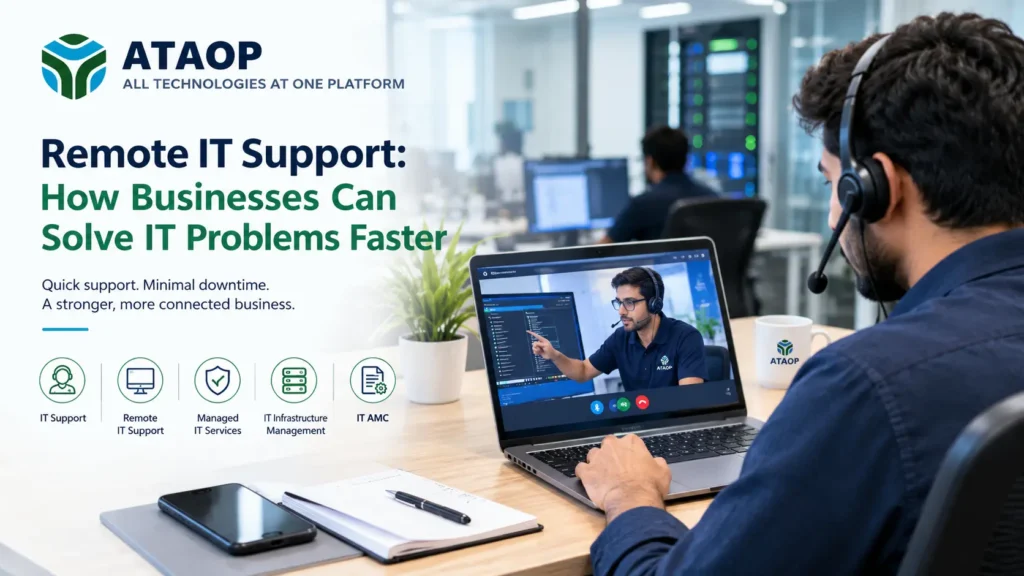
In today’s business environment, even a small IT problem can quickly become a productivity issue. A slow computer, failed application, network problem, email outage, server error, or security alert can prevent employees from completing their work. When technical issues occur frequently, businesses need more than occasional troubleshooting—they need reliable and responsive Remote IT Support.
Remote IT support allows trained IT professionals to diagnose and resolve many technical problems without being physically present at the business location. Using secure remote-access tools, monitoring systems, and communication platforms, IT teams can investigate issues, apply fixes, configure systems, and provide technical assistance from virtually anywhere.
For businesses that want faster issue resolution without maintaining a large internal IT team, remote support can become an important part of a broader Managed IT Services strategy.
What Is Remote IT Support?
Remote IT Support is a technology service that enables IT professionals to troubleshoot, maintain, monitor, and manage business systems remotely.
Instead of waiting for an engineer to travel to the office, many problems can be investigated immediately through secure remote connections.
Remote IT support can assist with:
- Computer and workstation problems
- Software installation and configuration
- Operating system issues
- Email and application troubleshooting
- Network connectivity problems
- Server-related issues
- User access and account problems
- Security configuration
- System updates and patches
- Basic backup and recovery support
- IT infrastructure monitoring
This approach can significantly reduce the time between reporting an issue and beginning the troubleshooting process.
How Does Remote IT Support Help Businesses Solve Problems Faster?
The biggest advantage of remote support is speed. Traditional onsite support may require scheduling, travel, diagnosis, and additional visits. Remote support can often begin as soon as an issue is reported.
1. Faster Response to Technical Problems
When employees experience an IT problem, waiting several hours for an engineer to arrive can affect productivity.
With remote support, an IT technician can connect to the affected system, identify the problem, and begin troubleshooting without waiting for travel.
For example, if an employee cannot access an important business application, a remote technician may be able to check system settings, network connectivity, permissions, or application configuration immediately.
2. Reduced Business Downtime
Downtime can affect employees, customers, operations, and revenue. Remote IT support helps reduce the duration of many common technical interruptions.
IT professionals can remotely diagnose:
- Network connectivity issues
- Application errors
- Server alerts
- Login problems
- Software failures
- Configuration issues
- Device problems
The faster the technical team identifies the cause, the sooner normal operations can resume.
3. No Waiting for an Engineer to Reach the Office
Onsite IT support remains important for hardware failures and problems that require physical intervention. However, not every IT problem needs an engineer at the location.
Remote support eliminates travel time for many software, configuration, monitoring, and troubleshooting tasks.
This makes it particularly useful for businesses with multiple offices, distributed employees, or remote workers.
Remote IT Support vs Onsite IT Support
Remote and onsite IT support are not necessarily competing services. They can work together.
| Remote IT Support | Onsite IT Support |
| Faster response for many software issues | Useful for physical hardware problems |
| No travel required | Engineer visits the location |
| Suitable for remote troubleshooting | Suitable for physical installation |
| Useful for monitoring and configuration | Useful for cabling and device setup |
| Can support distributed teams | Helpful for complex onsite infrastructure |
A strong IT support strategy often combines remote assistance with onsite services when physical intervention is necessary.
How Remote IT Support Fits Into Managed IT Services
Remote support is often one component of a broader Managed IT Services model.
Managed IT services focus on maintaining and improving a company’s technology environment instead of simply responding whenever something breaks.
Depending on the provider and service agreement, managed IT services can include:
- Remote IT support
- System monitoring
- Server management
- Network management
- Cybersecurity
- Backup management
- Software updates
- Patch management
- IT Infrastructure Management
- Help desk support
- Preventive maintenance
This proactive approach can help businesses identify potential problems before they become major disruptions.
The Role of IT AMC in Remote Support
An IT AMC (Annual Maintenance Contract) is another way businesses can organize their IT maintenance and support requirements.
Under an IT AMC, a business typically enters into a service agreement with an IT provider for ongoing technical support and maintenance. The exact services depend on the agreement.
Remote support can become an important part of an IT AMC because many routine issues can be handled without requiring an onsite visit.
For example, an IT AMC may include remote troubleshooting, system checks, software support, network assistance, and preventive maintenance.
Businesses should review the exact scope, response times, supported devices, onsite coverage, exclusions, and escalation process before selecting an IT AMC provider.
Remote IT Support for Small and Growing Businesses
Small and medium-sized businesses may not always have the resources to maintain a large internal IT department.
Hiring an IT professional for every technical requirement can become expensive as the business grows. Remote IT support offers another approach by giving businesses access to technical expertise when they need it.
It can be particularly useful for businesses that:
- Have a small internal IT team
- Operate from multiple locations
- Have remote or hybrid employees
- Need regular technical assistance
- Want to reduce prolonged downtime
- Need support outside their core IT expertise
Instead of depending entirely on one internal employee, businesses can use an external IT support team for additional technical capabilities.
Remote IT Support and IT Infrastructure Management
Modern businesses depend on interconnected technology systems. Computers, servers, networks, cloud applications, security tools, storage systems, and business software all need to work together.
This is where IT Infrastructure Management becomes important.
IT infrastructure management involves maintaining and managing the technology foundation that supports business operations. Remote IT teams can monitor and manage many infrastructure components without being physically present.
These may include:
- Servers
- Network devices
- Workstations
- Virtual machines
- Cloud environments
- Storage systems
- Security tools
- Backup systems
Effective infrastructure management can help businesses maintain system reliability, identify performance issues, and plan technology upgrades more effectively.
What Problems Can Remote IT Support Solve?
Remote IT support is suitable for a wide range of common technical issues.
Common examples include:
Slow computers:
Technicians can check resource usage, background processes, software issues, storage capacity, and system configuration.
Email problems:
Remote support can investigate account configuration, application settings, connectivity, and authentication issues.
Software errors:
IT professionals can troubleshoot applications, reinstall software, update components, and check configuration settings.
Network problems:
Basic connectivity and configuration issues can often be diagnosed remotely.
User access issues:
Password, account, permission, and access-related problems can frequently be handled remotely.
Server alerts:
IT teams can investigate server performance, service availability, storage usage, and system alerts remotely.
Security concerns:
Remote teams can help investigate security alerts, apply updates, review configurations, and support endpoint protection.
However, physical hardware failures, damaged equipment, cabling problems, and certain infrastructure tasks may still require onsite assistance.
Security Is Essential for Remote IT Support
Remote access provides convenience, but security should always be a priority.
Businesses should ensure that their IT provider uses appropriate security controls when accessing company systems remotely.
Important considerations include:
- Secure remote-access tools
- Strong authentication
- Access permissions
- Encryption
- Activity logging
- Endpoint security
- Regular software updates
- Controlled administrator privileges
Remote support should not mean unrestricted access to every business system. Access should be controlled according to business requirements and security policies.
How to Choose a Remote IT Support Provider
Before selecting an IT support provider, businesses should evaluate more than just pricing.
Consider:
Response time
How quickly will the provider respond when an employee reports a critical issue?
Technical expertise
Does the provider understand your servers, networks, applications, cloud systems, and security requirements?
Remote and onsite capability
Can the provider handle issues remotely while also providing onsite support when necessary?
Monitoring and prevention
Does the provider simply fix problems, or does it monitor systems and identify potential issues proactively?
Security practices
How does the provider protect remote access and business data?
Scalability
Can the support model grow with your business?
Service-level expectations
Are response times, escalation procedures, coverage, and responsibilities clearly documented?
These factors can help businesses select an IT support model that matches their operational requirements.
How ATAOP Can Help With Remote IT Support
For businesses looking for a broader technology support model, ATAOP (OPC) PRIVATE LIMITED provides IT solutions covering areas such as managed IT support, server infrastructure, cybersecurity, networking, cloud, and business IT requirements.
Remote IT support can be particularly useful as part of a managed approach because technical teams can respond to many problems without waiting for an onsite visit. Combined with monitoring, infrastructure management, cybersecurity, and preventive maintenance, it can help businesses maintain a more reliable IT environment.
The right support model ultimately depends on the company’s infrastructure, number of users, applications, locations, security requirements, and level of internal IT expertise.
Frequently Asked Questions
Is Remote IT Support suitable for small businesses?
Yes. Small businesses can use remote support for everyday technical troubleshooting, software problems, user access issues, system maintenance, and other IT requirements without necessarily maintaining a large internal IT team.
Can remote IT support fix server problems?
Many server issues can be diagnosed and resolved remotely, including certain software, configuration, service, storage, and performance problems. Physical hardware failures may require onsite intervention.
Is Remote IT Support secure?
It can be secure when providers use appropriate remote-access controls, authentication, encryption, permissions, monitoring, and other security measures.
What is the difference between IT Support and Managed IT Services?
IT support generally focuses on resolving technical issues, while Managed IT Services typically provide a broader and more proactive approach that can include monitoring, maintenance, cybersecurity, infrastructure management, backups, and ongoing support.
Can Remote IT Support be included in an IT AMC?
Yes. Remote troubleshooting and technical assistance can be included within an IT AMC depending on the terms and scope of the agreement.